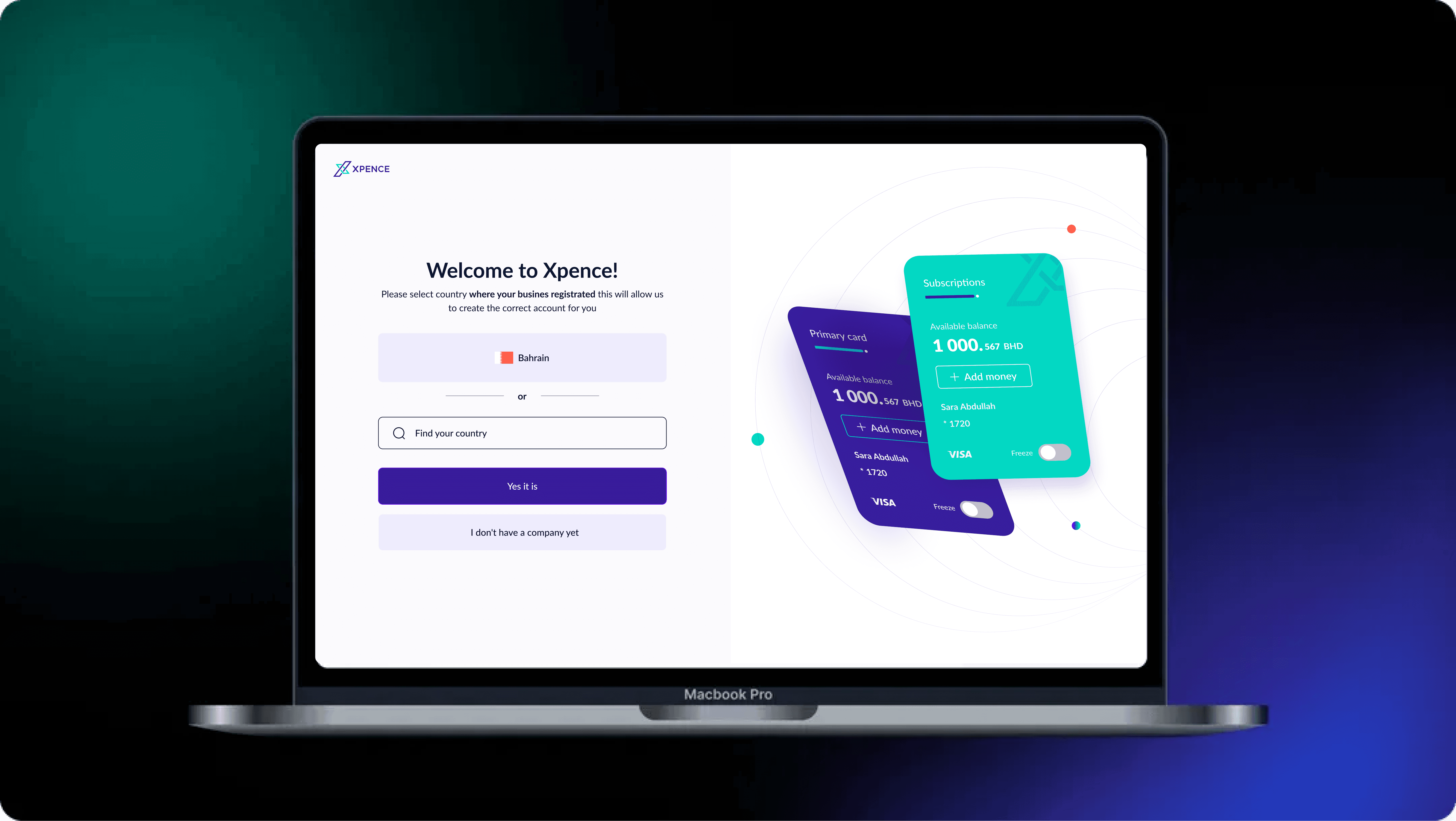
Smart business expense platform for startups and modern teams
A scalable FinTech platform that simplifies expense management through smart automation, virtual & physical Visa cards, and intuitive financial workflows.
The redesigned experience brings clarity, transparency, and efficiency to freelancers, startups, SMEs, and large enterprises transitioning from mobile-only to a full web ecosystem.
Fintech · SaaS ·
Web Platform
Product Design
Services
Product Design — UX Audit, UX Strategy, UX/UI Design
Category
FinTech Case Study / SaaS Platform
Client
Xpence — Dubai, UAE
Scope
UX Audit • UX Strategy • Web Platform Design • UI Design • Design System
Frame work
Double Diamond + Lean UX
Duration
+ 11 months
Focus
Scalability, clarity, frictionless onboarding, and improved user experience for both mobile & web
Design Approach & Objectives
Overview
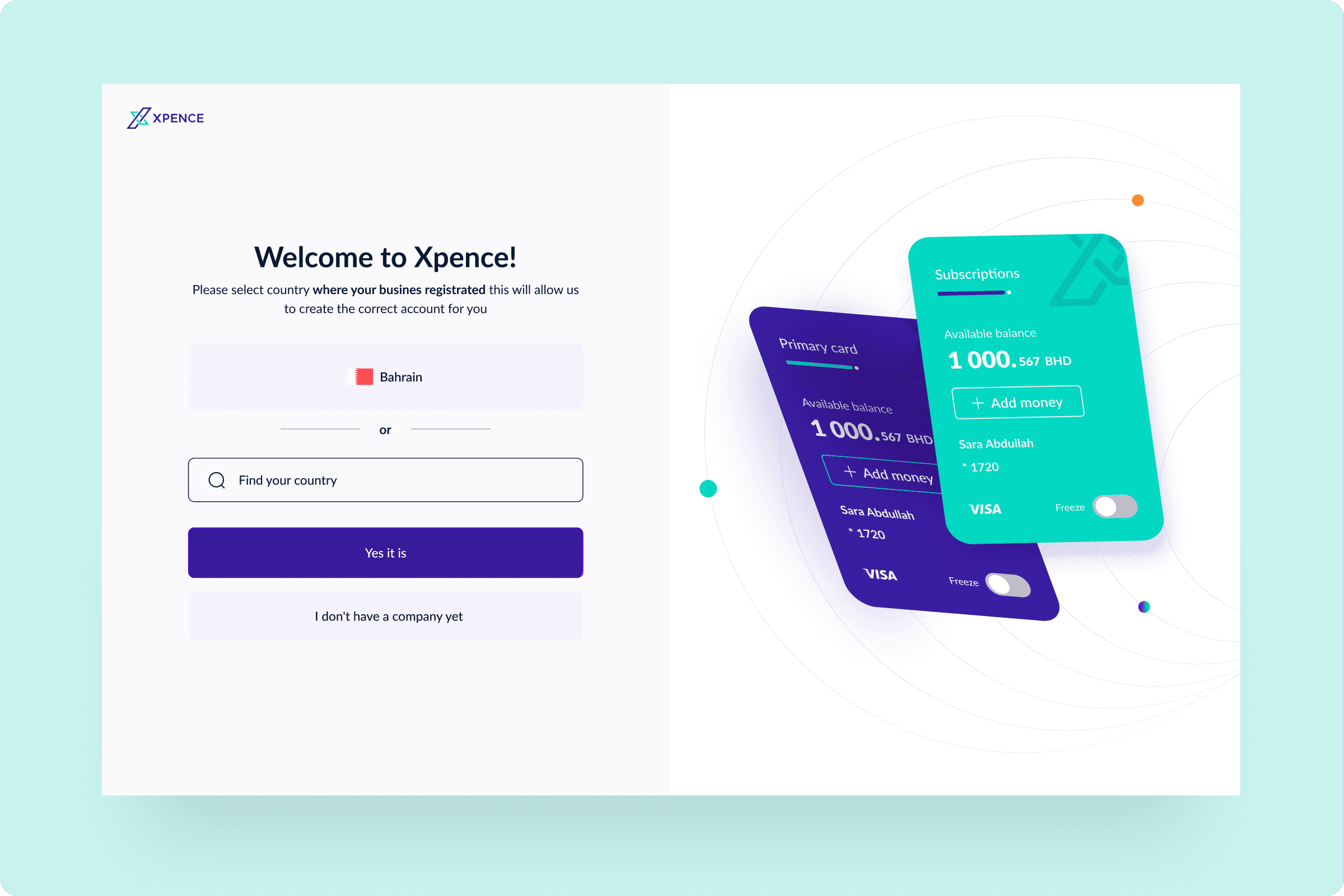
The project began with transforming an existing iOS mobile app into a scalable, production-ready web platform.
Alongside this shift, a UX audit uncovered usability issues around onboarding, navigation, information clarity, and iconography.
The redesign aimed to unify mobile and web experiences, reduce friction, and create a consistent financial workflow for all user types — from freelancers to enterprise finance teams.
Process Phases
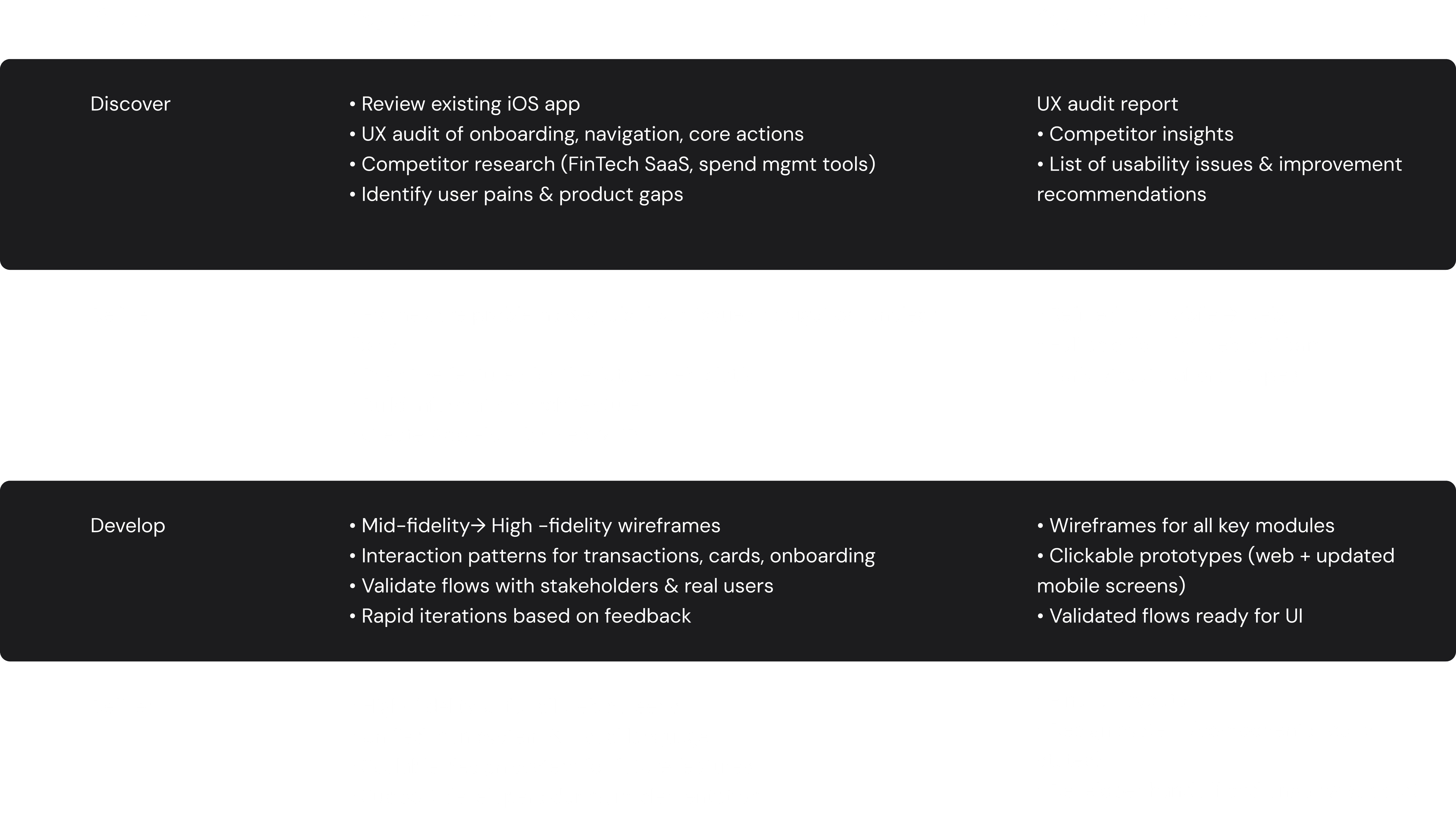
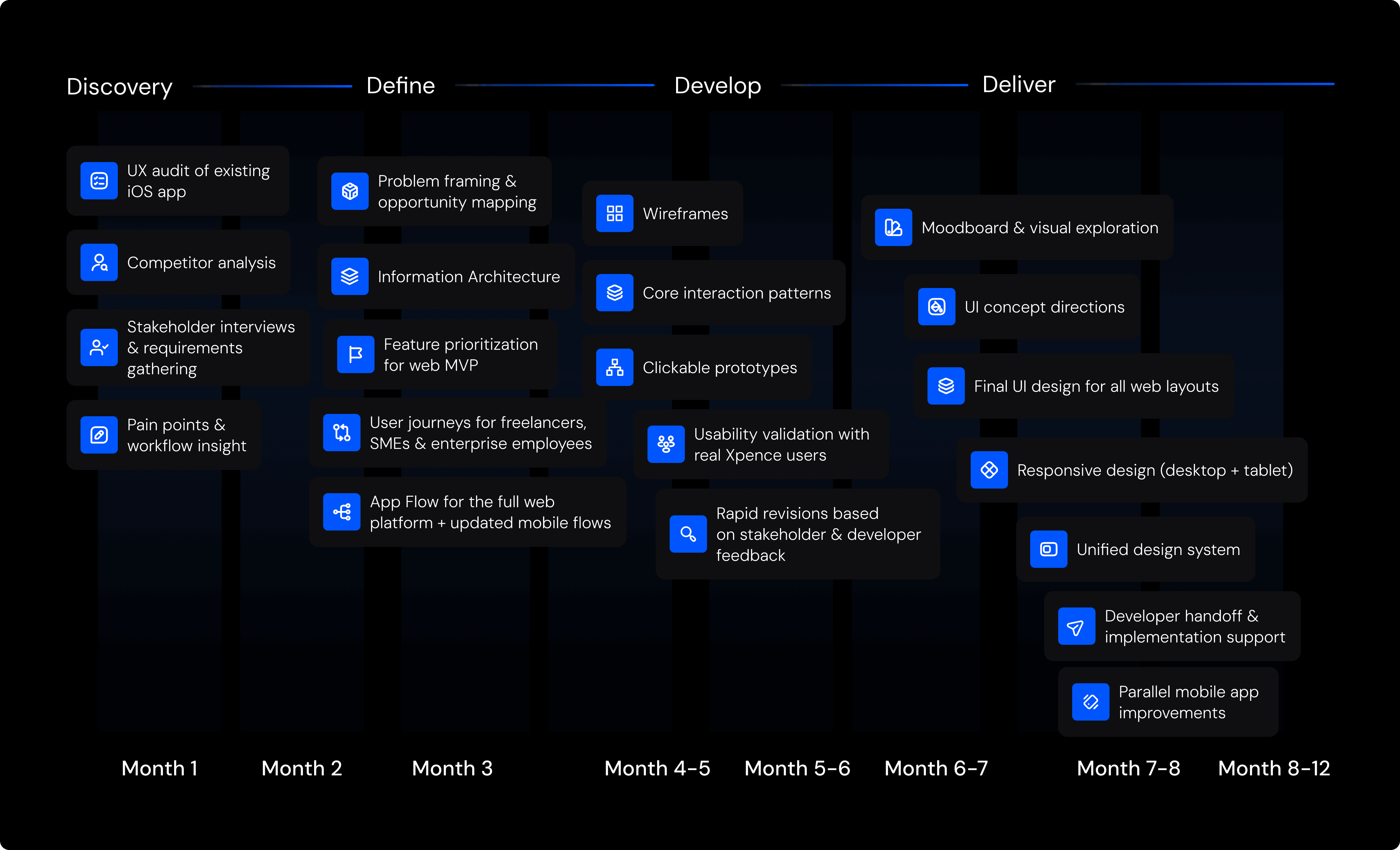
The design journey followed a structured, iterative approach across four main stages — ensuring clarity between research, problem framing, exploration, and delivery.
The process unfolded through four focused phases — transforming an existing mobile app into a scalable, intuitive web platform while improving overall product usability.




Business Objectives
The goal was to transform the existing Xpence iOS mobile app into a scalable, intuitive, and production-ready web platform while simultaneously improving the mobile experience.
The redesign needed to solve key usability issues, unify navigation patterns, reduce friction during onboarding and login, and introduce a consistent financial workflow for freelancers, startups, and enterprise teams.
The long-term objective was to establish a multi-platform system that could support rapid product growth, reduce support load, and streamline financial operations across all user types.
Key Objectives
Improve onboarding and login flow, reducing friction for new and returning users
Create a scalable Information Architecture for the new web platform
Standardize navigation, card views, and transaction logic across mobile & web
Reduce user confusion by redesigning iconography and visual hierarchy
Improve insights readability with filtering, grouping, and flexible viewing
Establish a unified design system for long-term product consistency
Support the development team during implementation and iteration
Validation & Outcome
Validation occurred continuously — not as a separate phase.
Stakeholders, developers, and real Xpence users provided feedback throughout each iteration.
Each step — from IA to wireframes to high-fidelity UI — was tested against real product constraints and user behaviour.
This ensured that the new web platform and updated mobile flows were:
clear, with intuitive navigation
consistent, with unified iconography and component logic
scalable, ready for future features
usable, reducing confusion and support incidents
This collaborative, iterative approach helped deliver a platform that was user-tested, aligned with business needs, and technically feasible from day one.
Discovery — Research & Context
Overview
The Discovery phase uncovered critical UX issues that directly affected onboarding conversion, card management, and transaction clarity — all key flows for financial trust and user retention.
Through stakeholder workshops, competitor benchmarking, and a full UX audit of the mobile app, we identified key issues affecting user experience — from login friction to navigation confusion and inconsistent iconography.
These insights shaped the redesign of the new scalable web platform.
Aligning Product Vision & Success Metrics
To align all teams, we conducted collaborative sessions with the product manager, CEO, and development team to clarify business goals and define measurable UX and product outcomes.
Focus Outcomes:
Clear scope for transforming the mobile app into a web platform
Alignment on login/onboarding friction and key flows to improve
Shared understanding of user struggles and high-impact UX improvements
Prioritized roadmap for both mobile and future web platform
Framing the core design direction by connecting business goals to real user challenges

Competitor Landscape
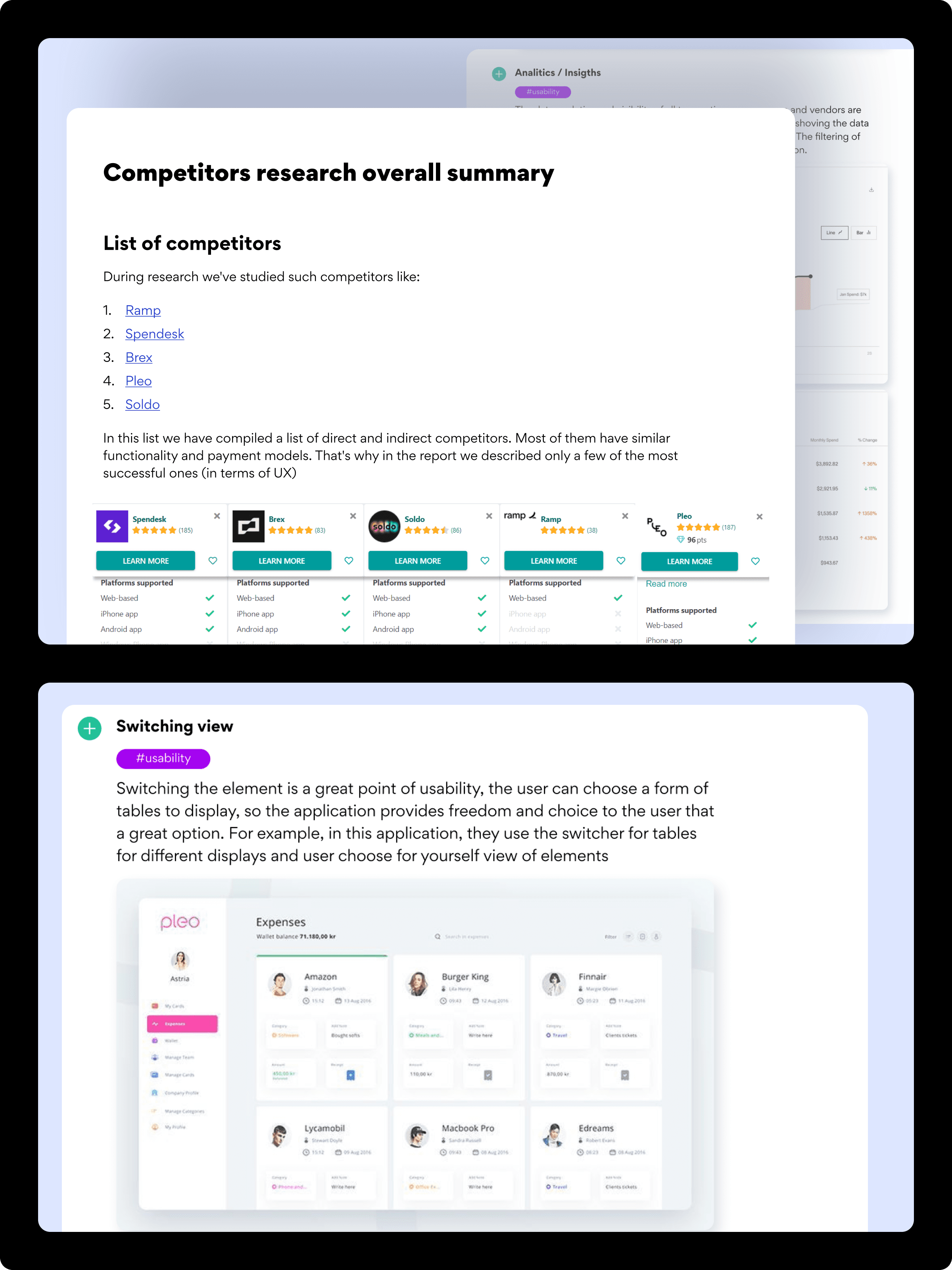
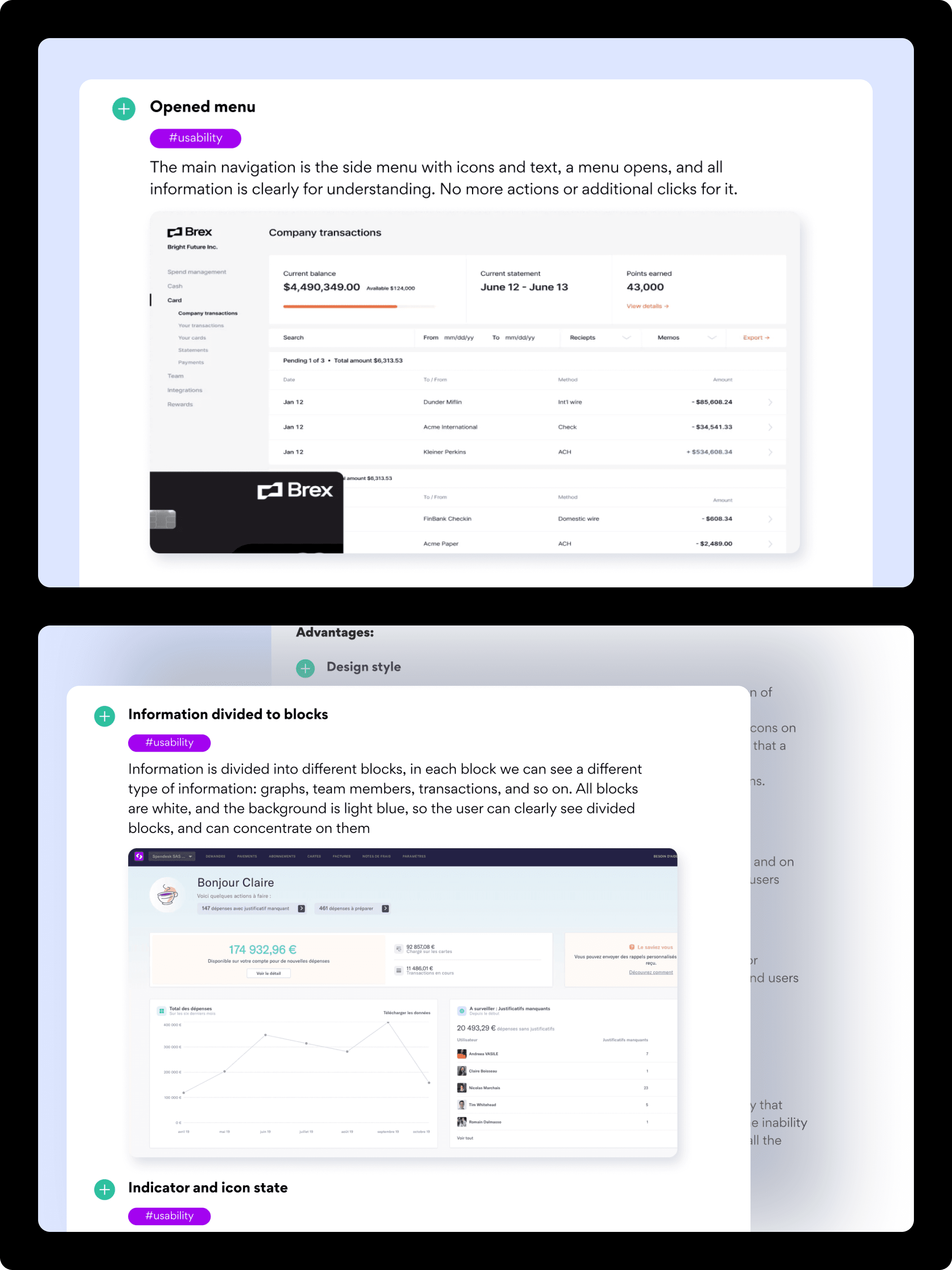
We analyzed leading FinTech and expense-management tools to understand how platforms structure dashboards, card management, onboarding, and financial workflows.
Key Insights:
Many tools have complex financial dashboards that overload the user
Competitors offer clearer card management and transaction grouping
Better onboarding experiences with guided steps and UI states
Stronger filtering, search, and transaction categorization
Most platforms visualized financial insights more efficiently
UX Audit of Xpence Mobile App
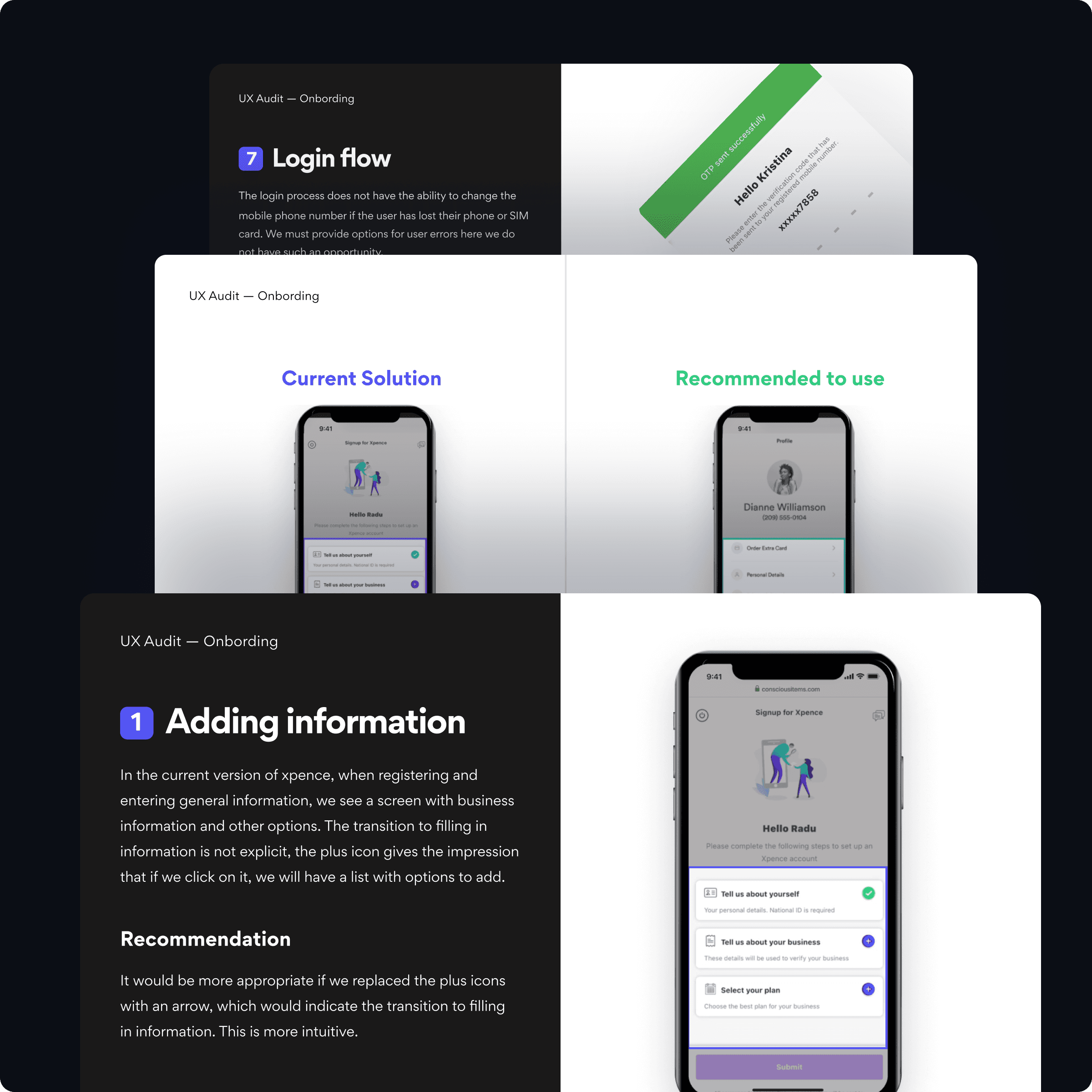
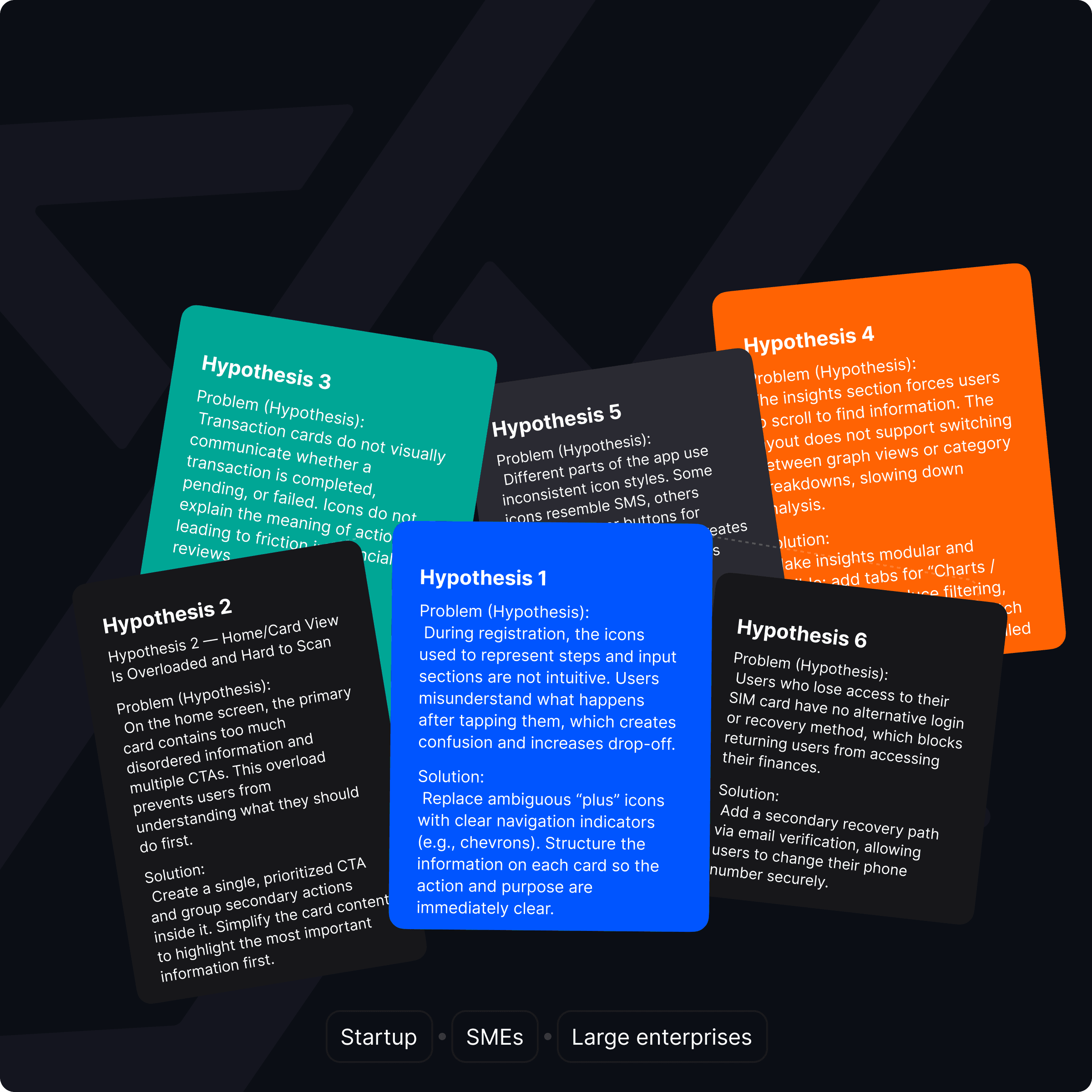
Our UX audit revealed several critical usability gaps affecting onboarding, login, navigation, feature clarity, and card/transaction management.
Key Findings
No fallback login method for users who changed phone numbers (critical blocker)
Onboarding steps unclear — icons did not communicate expected actions
Inconsistent iconography — layout, support icon, and tab icons lacked standard meaning
Card overview clutter — too many CTAs inside cards reduced clarity
Transactions lacked visual hierarchy — no contextual states (Success, Failed, Pending)
Insights screen required long scrolling — lacked filtering and grouping
Navigation issues — some screens were hidden or reachable only through icons
Xpence Users
Core Xpence users include freelancers managing personal expenses, startup teams using multiple virtual cards, SMEs tracking employees’ spending, and finance managers reviewing monthly budgets.
Research Activities
These activities helped validate friction in onboarding, navigation, and transaction workflows, ensuring we redesigned the web platform based on real usage patterns.
UX audit of the existing iOS mobile app
Stakeholder interviews (CEO, Head of Product, developers)
Competitor benchmarking in FinTech + spend-management space
Review of existing user feedback and support tickets
Mapping login, onboarding, and card/transaction flows
Identifying friction in real user journeys
Design Opportunity
Insight
Cluttered card structure & too many CTAs →
Simplified card layouts with a single primary action
Inconsistent iconography & unclear navigation →
Unified icon system and predictable navigation hierarchy
Limited filtering & unreadable transaction insights →
Flexible filtering and structured financial analytics
Synthesized insights translated into clear design directions for the scalable web platform and the improved mobile app.
Define — Problem Framing & Information Architecture
During the Define phase, I translated discovery insights into clear problem statements, prioritized UX issues, and structured the foundation for the new scalable web platform.
This stage focused on clarifying core user flows, refining navigation logic, and establishing a unified information architecture based on real user friction and business goals.
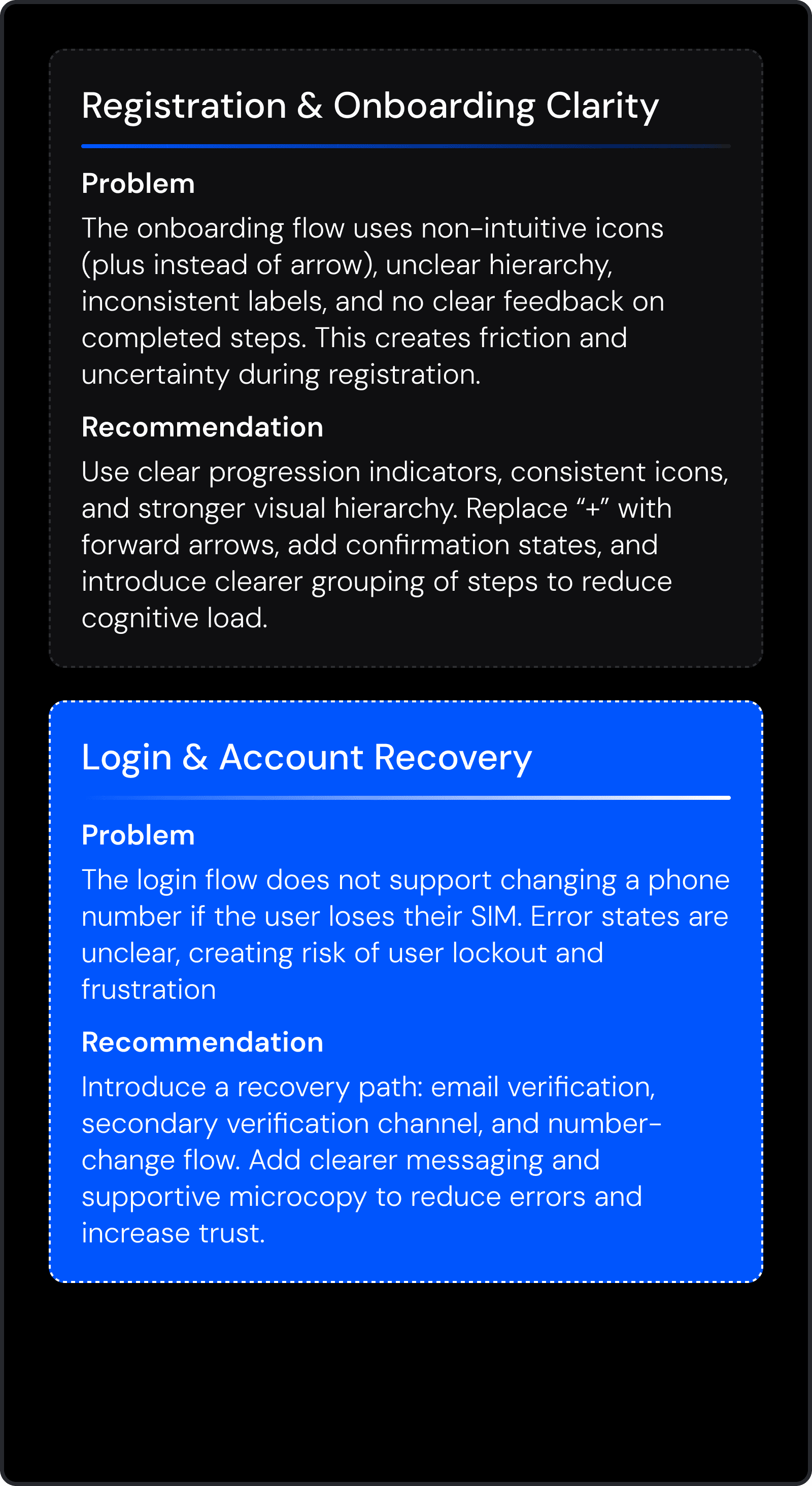
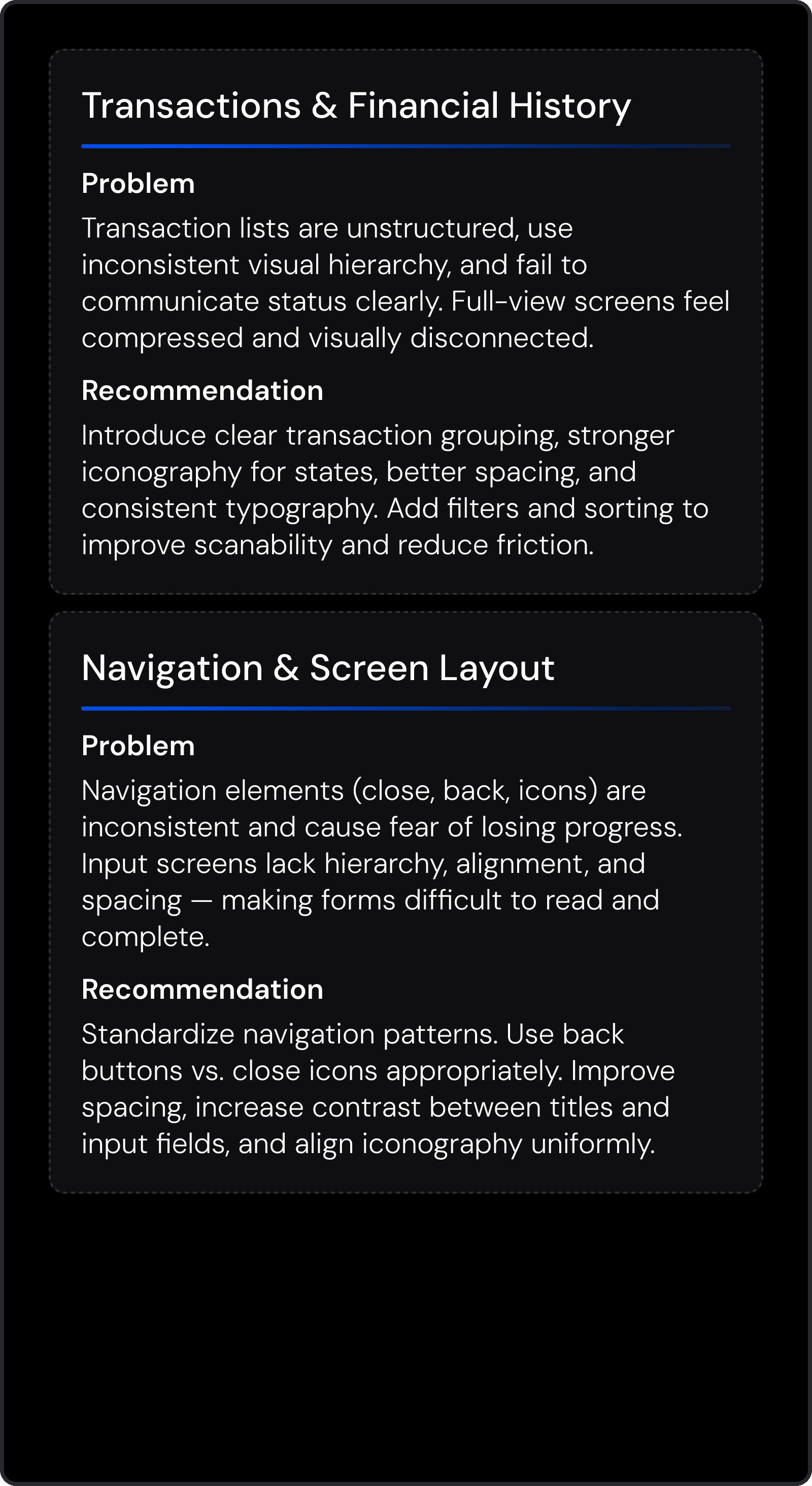
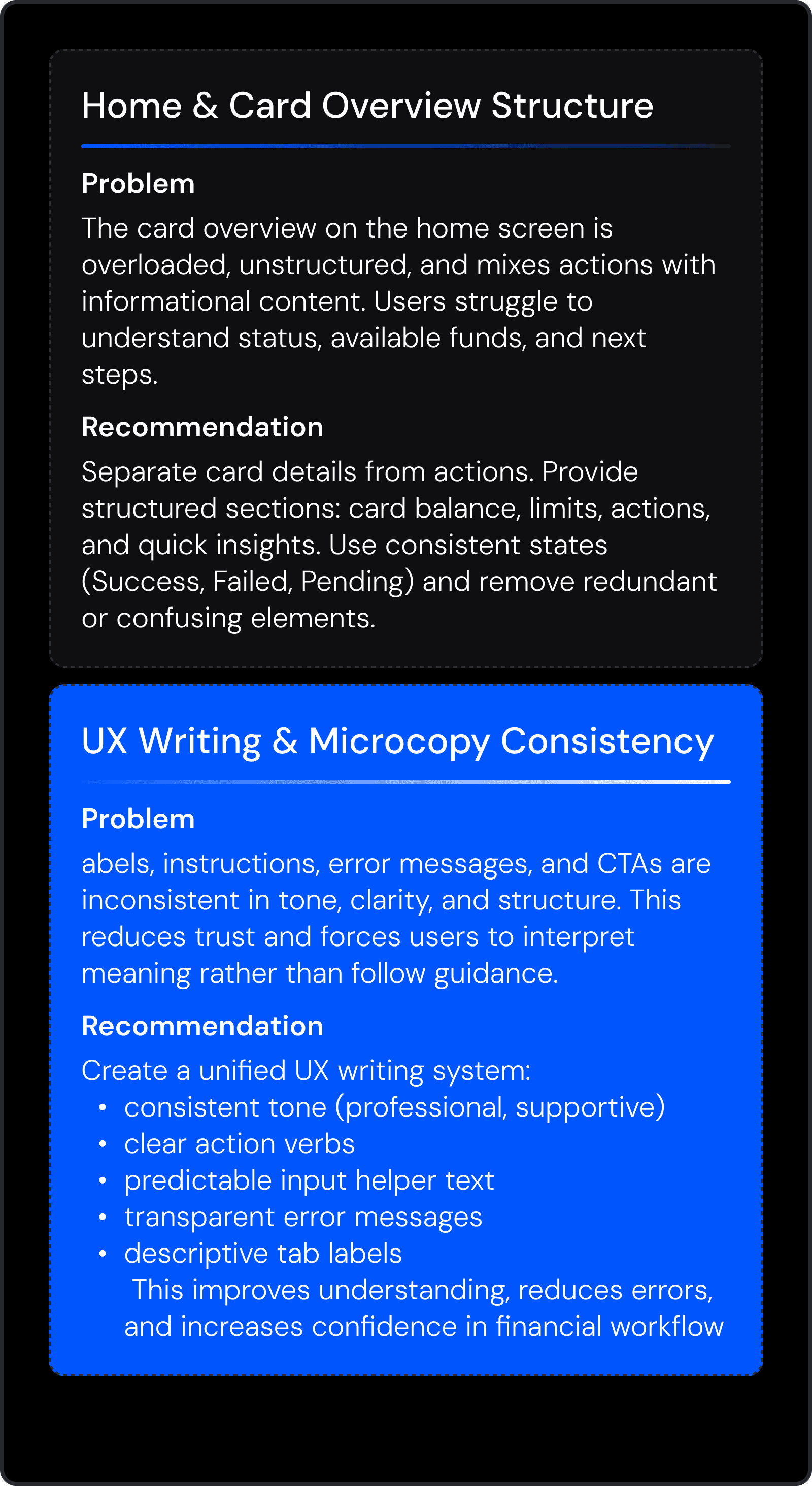
Problem Framing
To align the team on what mattered most, I synthesized insights from the UX audit, competitor analysis, and stakeholder sessions into actionable problem statements.
These problem frames guided the direction of the IA and flow creation for both the web platform and improved mobile experience.
Information Architecture
To build a scalable and intuitive financial platform, I developed a new IA system grounded in UX audit insights, user behavior, and business goals.
The new structure improves navigation clarity, reduces friction in financial tasks, and provides a unified system across web and mobile platforms.
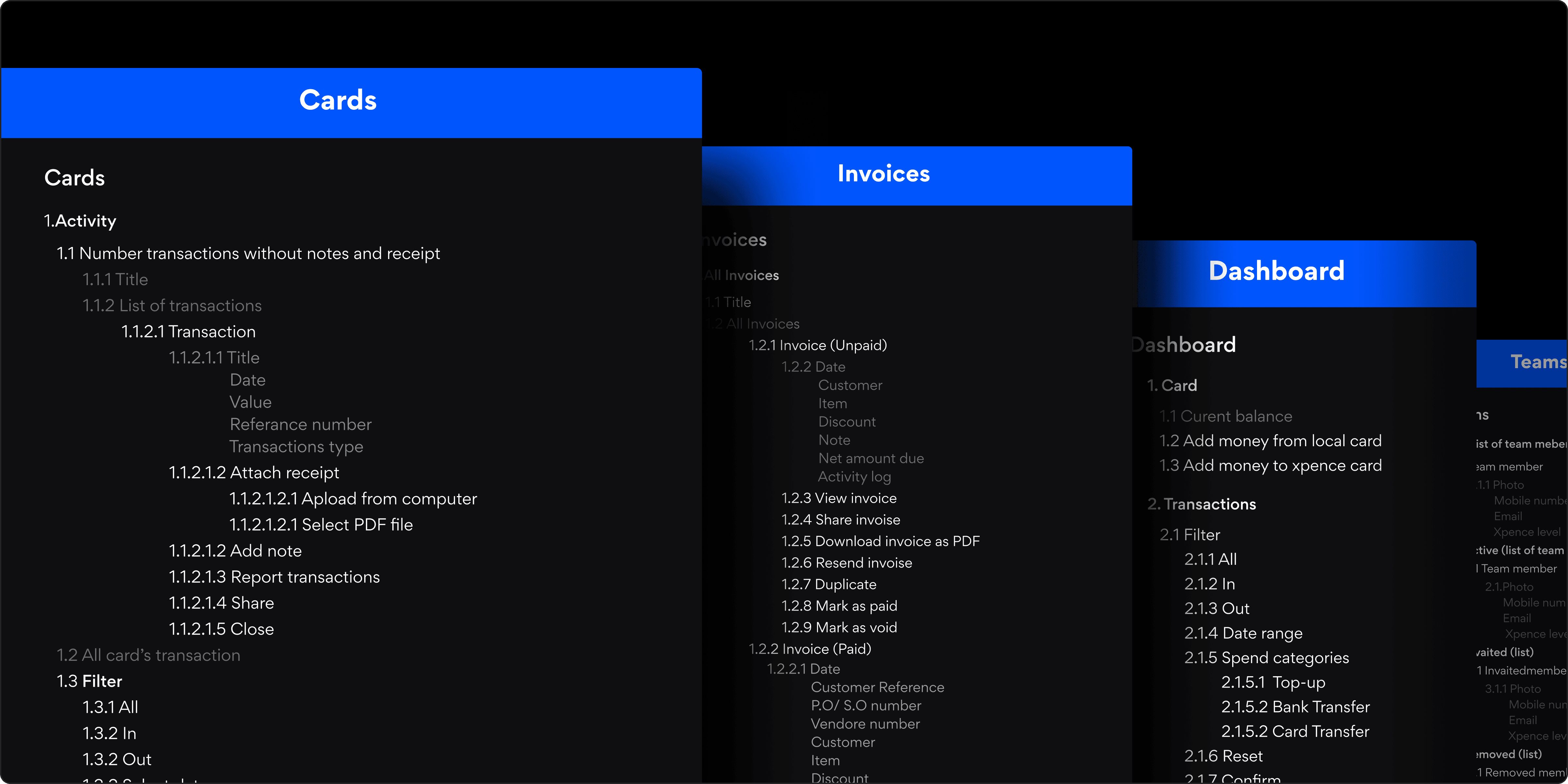
The redesigned IA clarified navigation patterns, reduced cognitive load, and created a scalable foundation for future features.
Feature Prioritization for Web MVP
To ensure a focused and efficient MVP release, I prioritized features based on user needs, technical feasibility, UX audit findings, and business impact.
This helped the team align around what must be delivered first and what can be phased for later releases, reducing uncertainty and accelerating development.
Prioritization Framework
I used a hybrid prioritization approach combining:
MoSCoW method (Must / Should / Could)
Opportunity vs Effort analysis
User problem severity from the UX audit
Business-critical needs from stakeholders
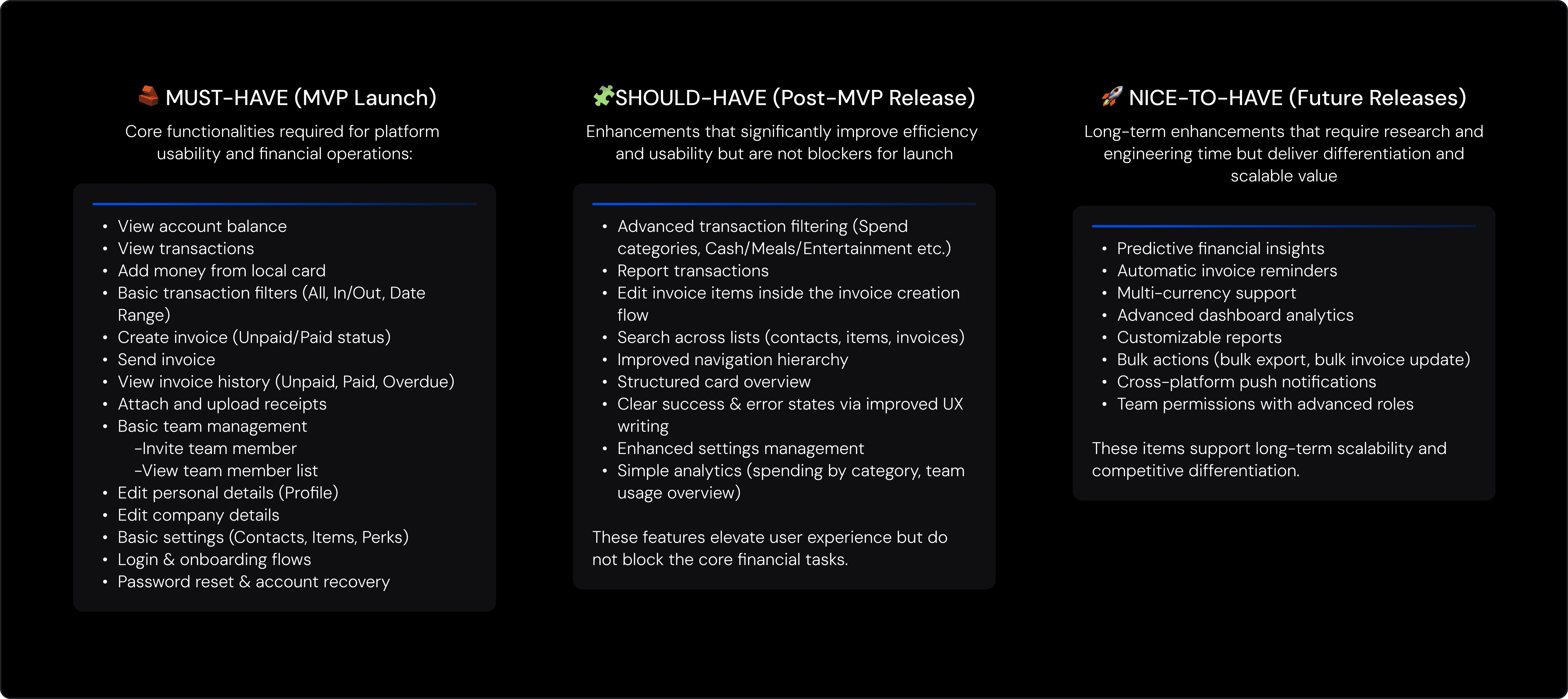
Feature prioritization ensured clarity, alignment, and focus on the highest-value items for launch.
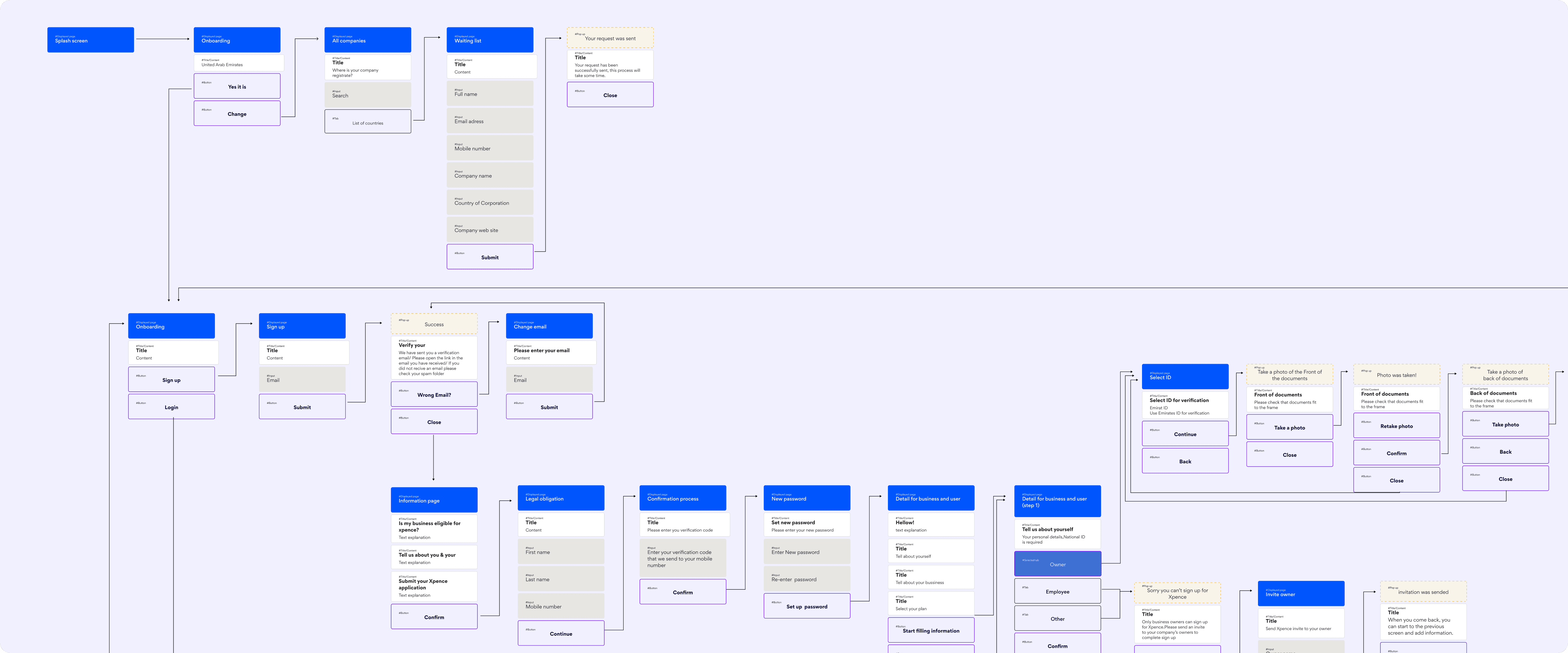
App Flow — Web Platform & Updated Mobile Experience
I created a consolidated app flow to visualize the entire user journey across onboarding, dashboard actions, card usage, invoicing, team management, and profile settings.
This flow mapped every interaction, resolved inconsistencies between mobile and web, and provided development with a clear execution blueprint.
The unified flow ensured a consistent cross-platform experience and reduced ambiguity for design and engineering
Develop — From Structure to Interaction
Transforming validated IA into functional, testable product experiences.
During the Develop phase, I translated the information architecture into high-fidelity wireframes, defined scalable interaction patterns, and validated the core product flows through iterative prototyping and usability testing.
The goal was to remove ambiguity before UI design and ensure every flow was feasible, intuitive, and aligned with business logic.
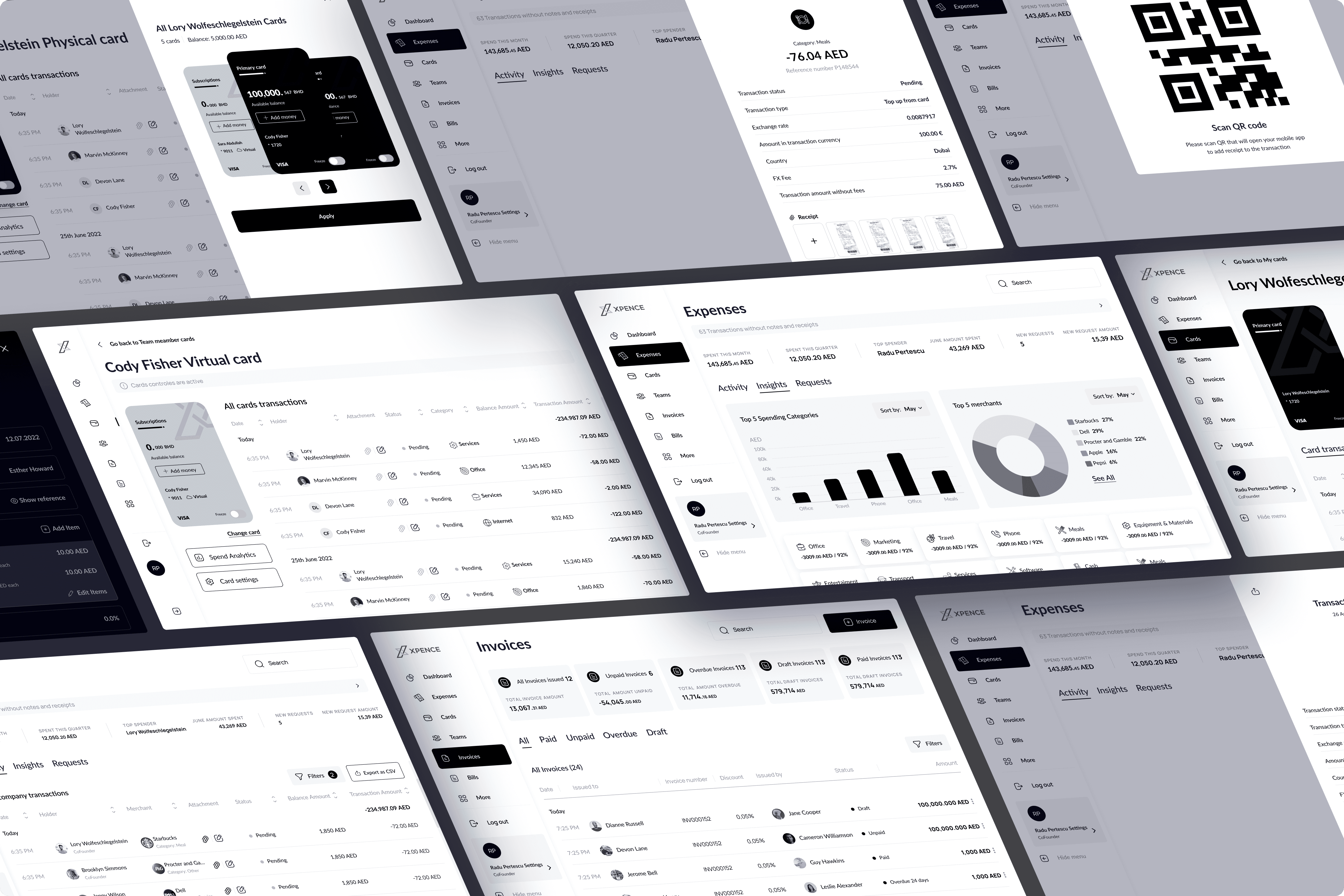
High-Fidelity Wireframes
I created detailed high-fidelity wireframes covering all core areas of the platform — Dashboard, Cards, Invoices, Teams, Profile, and Settings.
These wireframes defined layout, structure, states, form behavior, and early UI patterns, helping engineering understand functional scope before the UI stage.
Interaction Design, Prototyping & Iterative Validation
I translated the IA into clear interaction patterns and built high-fidelity clickable prototypes covering all core financial flows. These prototypes helped the team experience the product early, align on logic, and validate feasibility with developers.
To ensure usability, I tested key tasks with real freelancers and SME users. Their feedback helped refine navigation clarity, data visibility, terminology, and form structure. Rapid iteration with stakeholders and developers ensured every improvement was both user-centered and technically feasible.
This cycle of designing → prototyping → validating created a reliable, scalable foundation for the final UI and development.
Deliver — Visual Design, Systemization & Implementation Support
In the Deliver phase, I transformed validated wireframes into a cohesive visual language and production-ready interface. This stage focused on defining the product’s aesthetic direction, establishing a scalable design system, and preparing all layouts for smooth engineering implementation across web and mobile platforms.
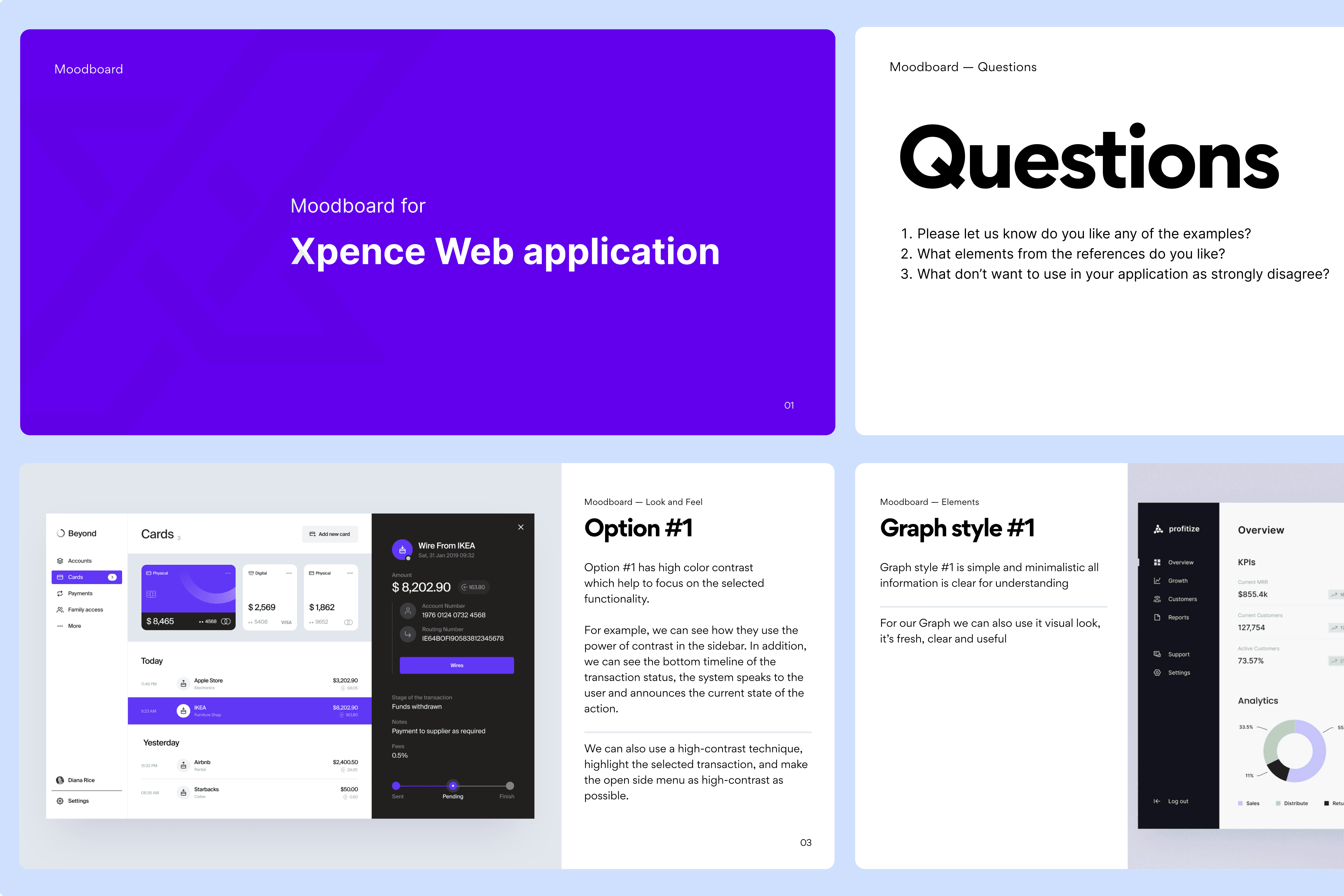
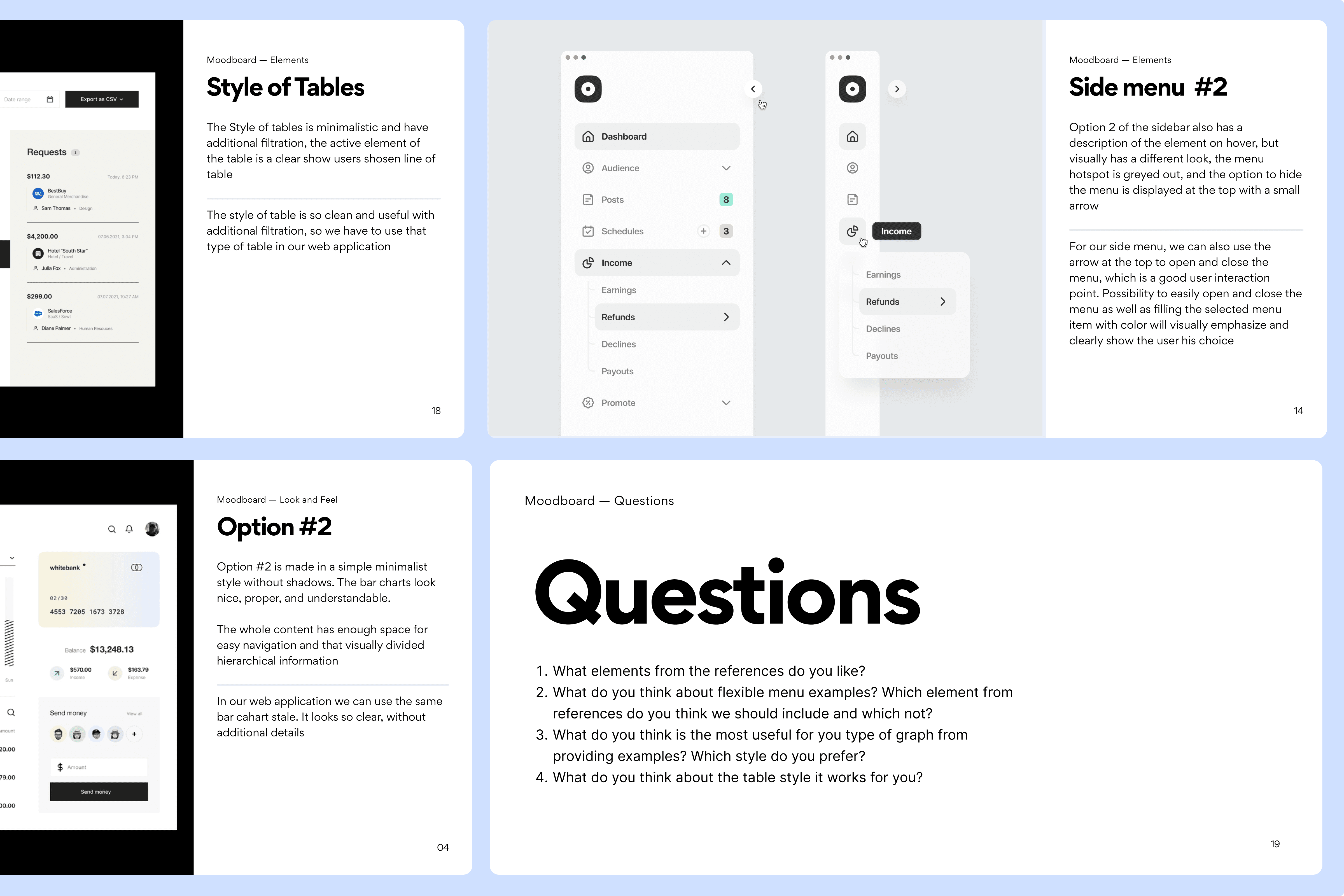
Moodboard & Visual Exploration
To establish a recognizable and modern brand presence, I developed a visual moodboard exploring color systems, typography pairs, spacing rhythms, iconography style, and overall UI tone.
This early visual exploration aligned the team around a shared aesthetic direction before moving into high-fidelity design.
UI Concept Exploration
To define the visual direction for the new Xpence web platform, I developed two distinct UI concepts.
Each direction explored a different balance between clarity, usability, hierarchy, and visual density.
Below is a structured breakdown of both concepts and the rationale behind the final design direction selected by the client.
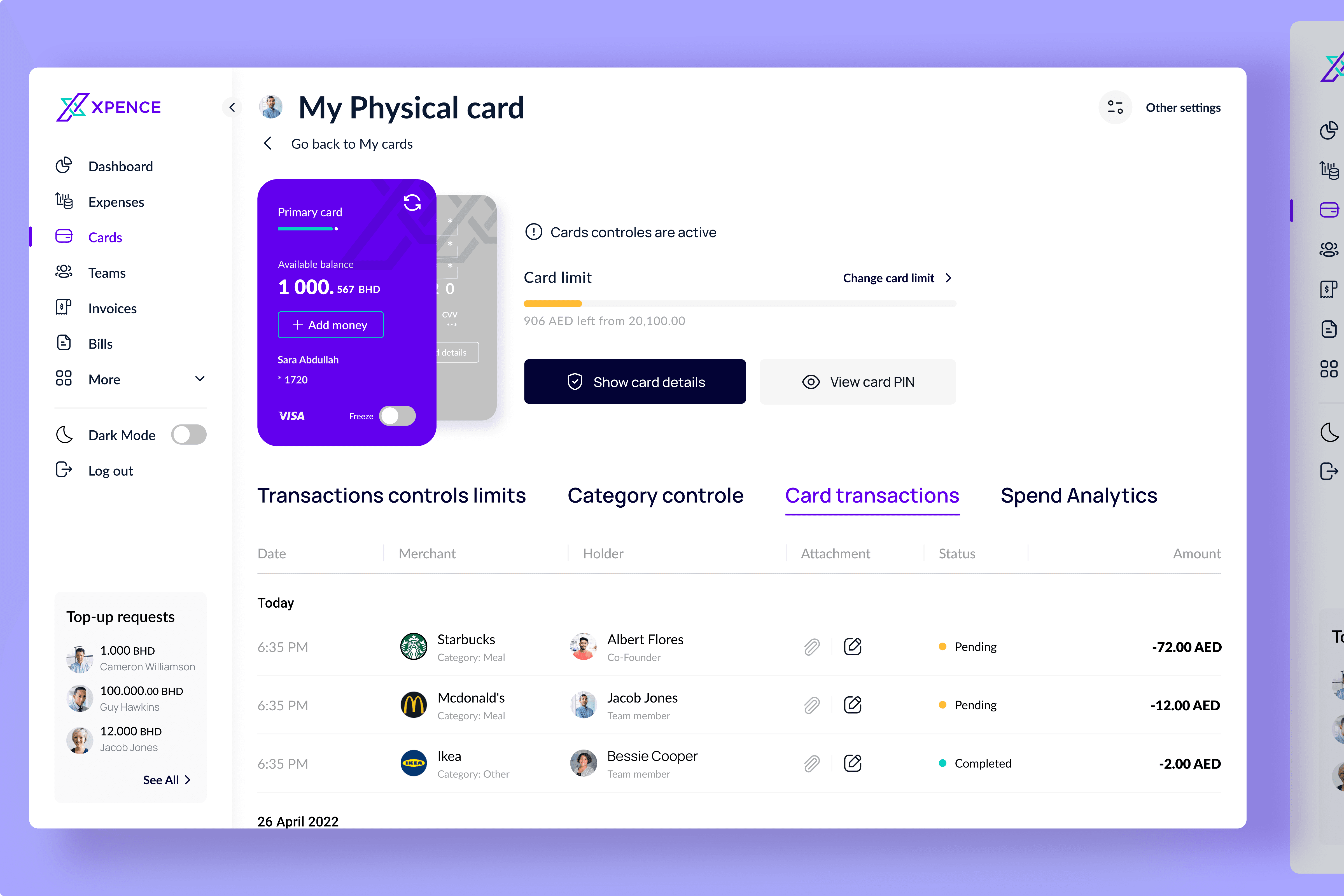
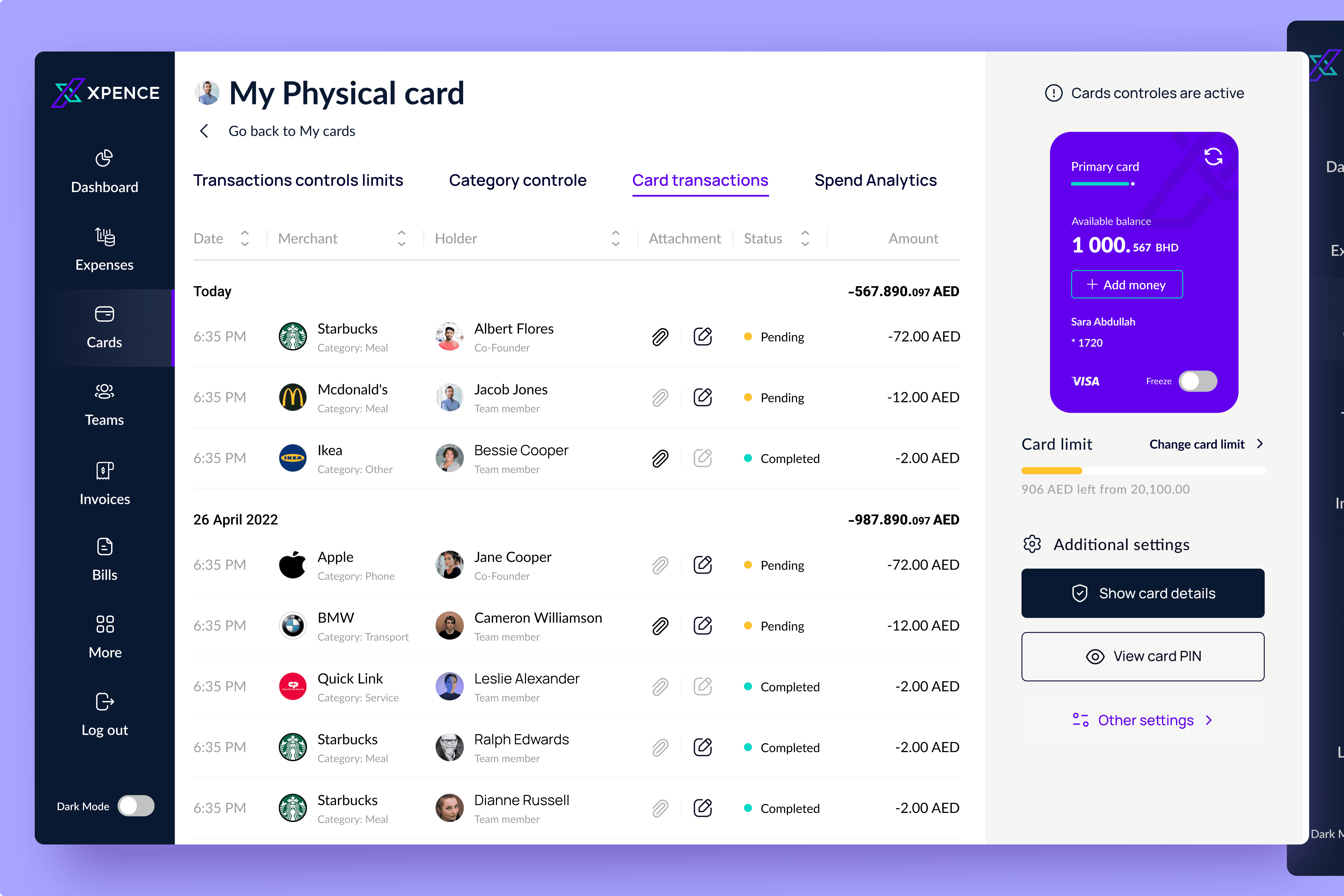
Concept A — Minimal Clean Interface
A light, modern interface focused on clarity, simplicity, and everyday usability.
Overview
This direction embraces a minimal, approachable visual language. The emphasis is on readability, spacious layouts, and effortless scanning — supporting users who manage day-to-day financial tasks quickly and frequently.
Key Characteristics
Bright white background for visual clarity and low cognitive friction
Filled call-to-action buttons to establish clear primary action hierarchy
Flexible, lightweight sidebar navigation
Minimal table styling for clean data browsing
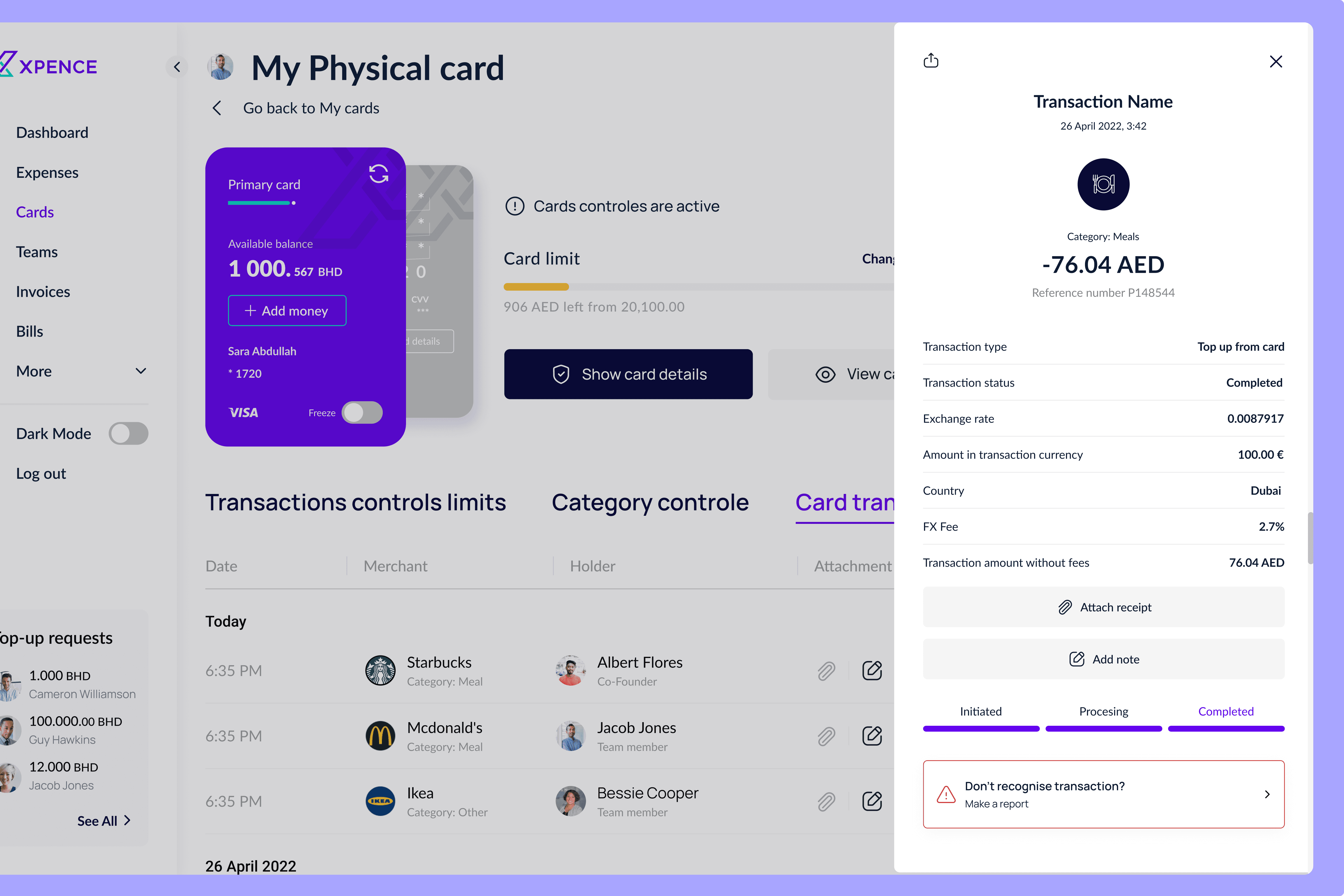
Side white pop-up with bottom progress indicator
Soft color palette accented with deep blue for key financial actions
Calm, minimal card presentation aligned with modern fintech patterns
When this concept works best
Ideal for daily finance tasks, fast scanning, and broad accessibility — especially for users who prefer an uncluttered, intuitive interface.
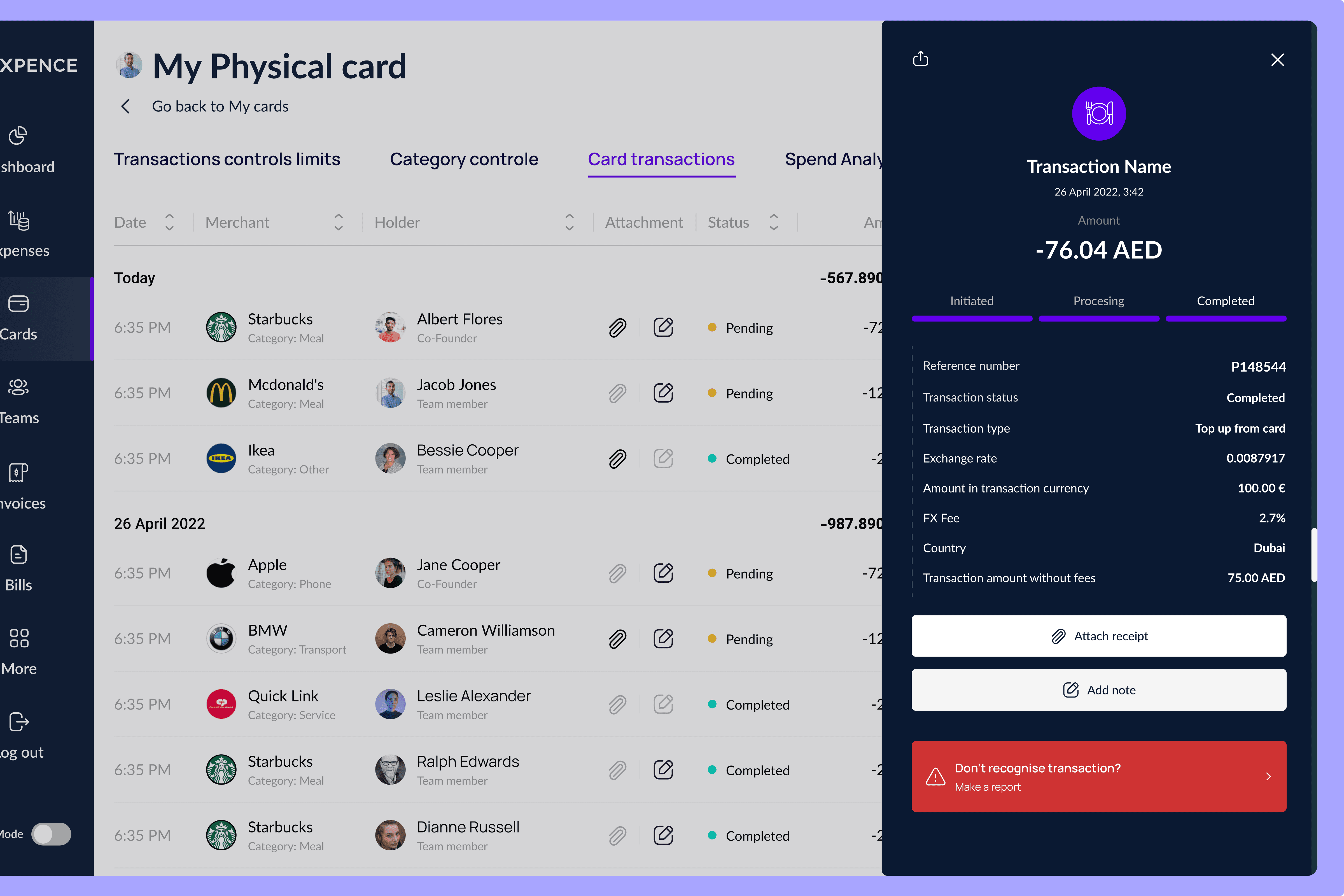
Concept B — High-Contrast Structured Interface
A more technical, data-centric design with strong visual structure.
Overview
This concept introduces a higher contrast navigation system and a clear two-zone layout. It’s designed for advanced users who handle large amounts of operational data, requiring precision and structured hierarchy.
Key Characteristics
High-contrast dark sidebar for immediate orientation
Split background layout (white for data, grey for card settings)
Combination of filled + stroke buttons for functional clarity
Compact menu with denser information hierarchy
Enhanced table filtration & sorting
Side pop-up with top progress indicator for improved visibility
More “enterprise-grade” feel suitable for operational workflows
When this concept works best
Ideal for users with analytical roles, finance teams, and users who rely on structured, high-contrast layouts for precision.
Final Design Direction — Hybrid Approach
Combining the clarity of Concept A with the functional strength of Concept B.
Based on stakeholder feedback and user expectations, the final product direction merged the strengths of both concepts:
Chosen Elements
✔ Main visual language from Concept A — Minimal Clean Interface
✔ Side pop-up behavior and top progress indicator from Concept B — High-Contrast Structured Interface
Rationale
This hybrid approach achieves the best of both worlds:
A clean, modern interface that feels intuitive and lightweight
A structured, high-visibility pop-up suitable for financial accuracy
Improved data scanning without overwhelming visual density
A consistent experience across web and mobile
This final direction became the foundation for all high-fidelity wireframes and the complete UI system.
Final Summary
What I Delivered
Across seven months, I led the end-to-end UX/UI transformation of Xpence — evolving a mobile-only expense platform into a scalable, intuitive, and fully operational web application aligned with business and regulatory needs.
What I delivered:
UX audit of the existing mobile app and a clear set of usability improvements
Competitor research focused on FinTech expense tools and banking platforms
Refined information architecture for a multi-role, multi-feature web product
Feature prioritization and MVP scope aligned with product and engineering
High-fidelity wireframes covering dashboard, cards, invoices, teams, and settings
Two UI concept directions, tested and refined with stakeholders
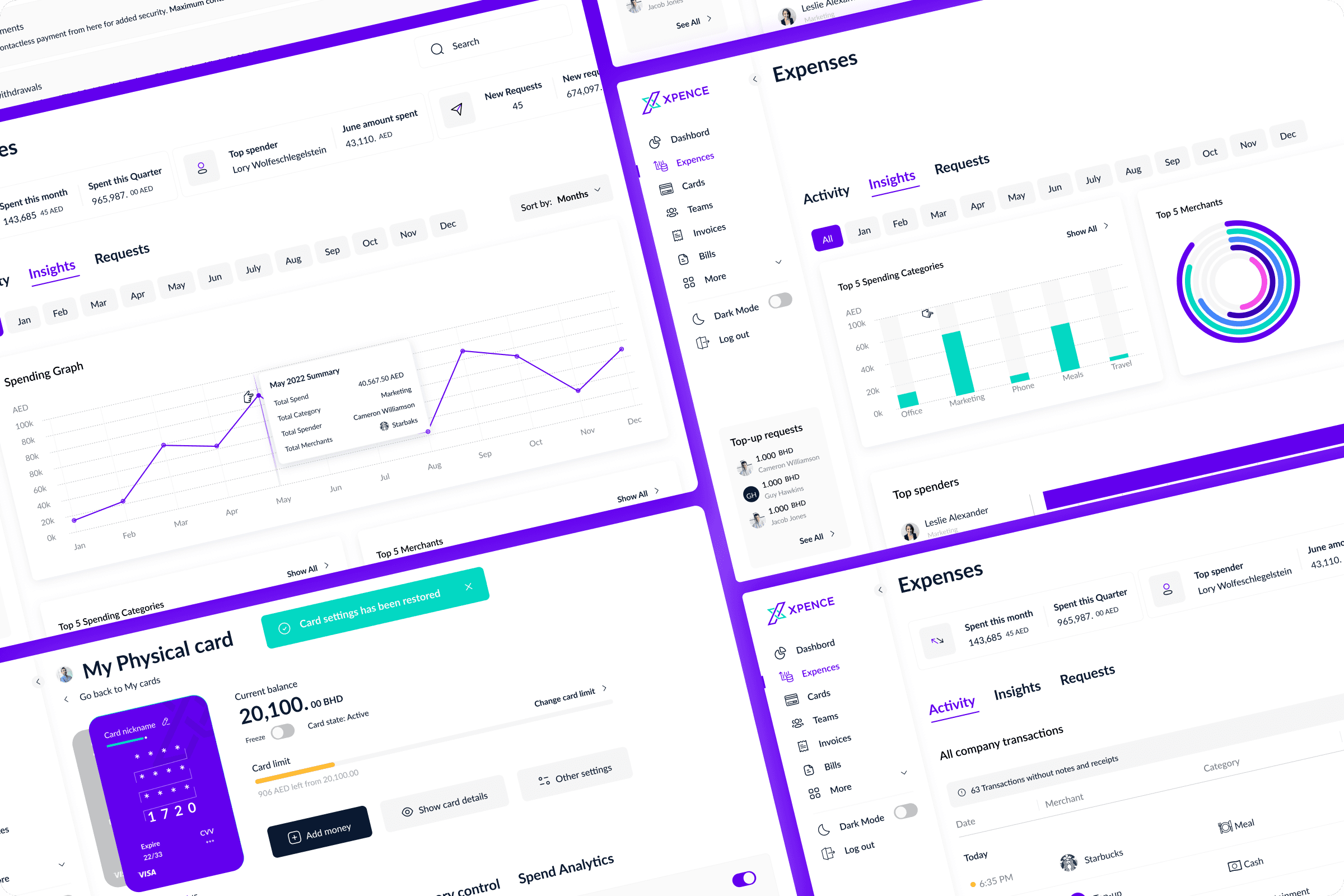
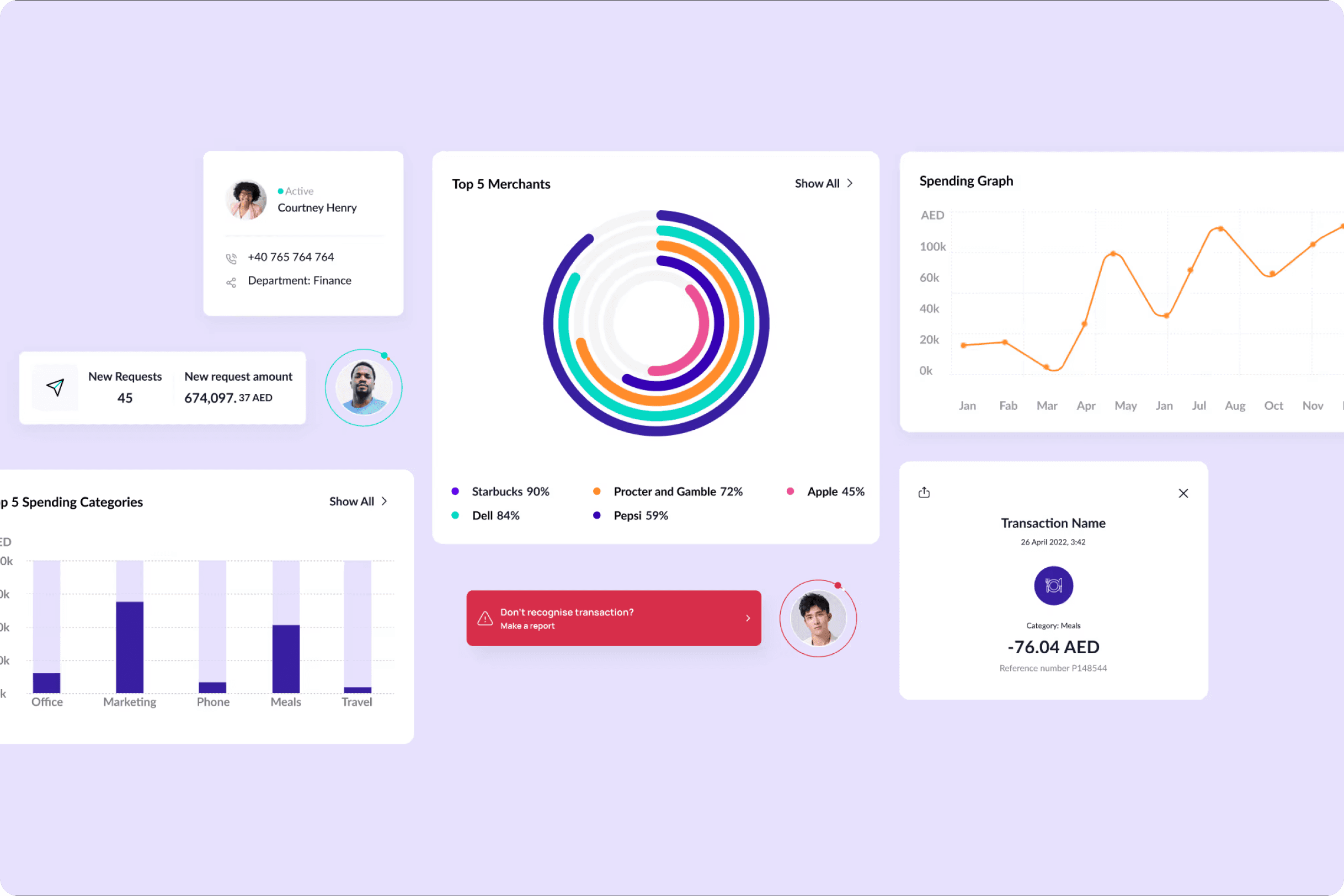
Final UI design of all key modules, including complex financial views and flows
A scalable design system with tokens, components, and patterns for Web & Mobile
Ongoing implementation support, reviewing builds and improving mobile UX
Impact:
Streamlined onboarding and card management
Reduced cognitive load through cleaner information hierarchy
Improved transaction clarity with structured layouts and status indicators
Faster navigation via a more predictable, modular web structure
Consistent UX across mobile and web, improving user trust and adoption
Stronger alignment between product, developers, and stakeholders
Outcome:
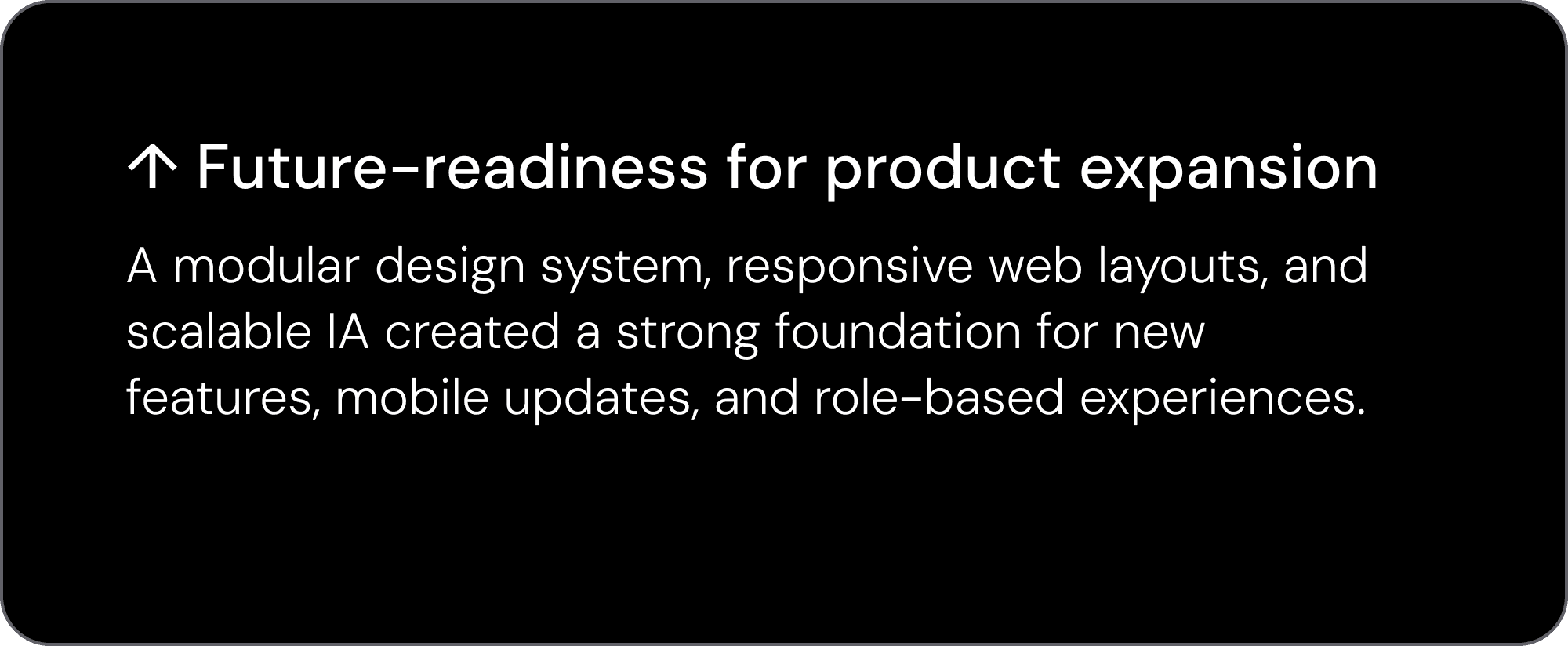
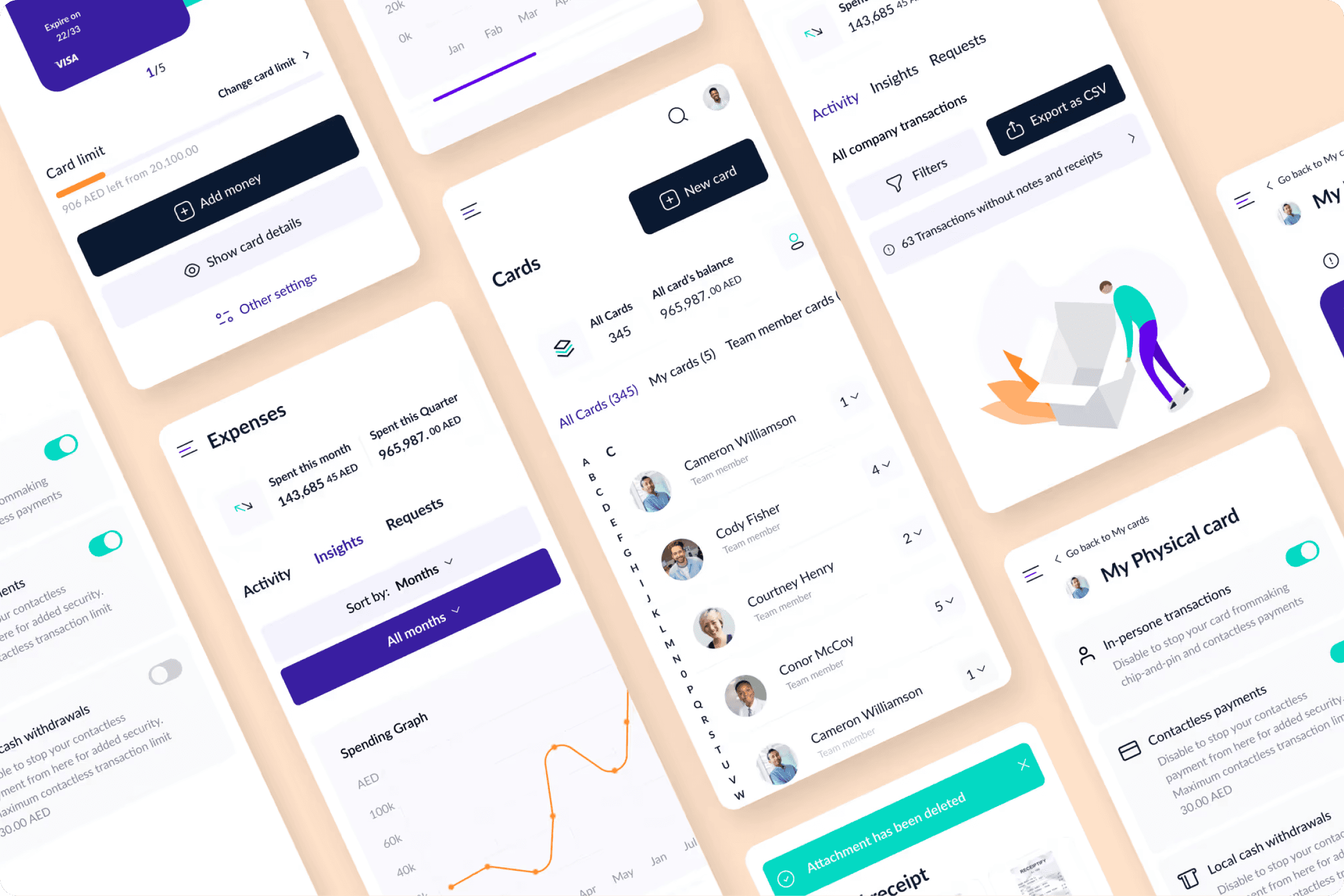
A clear, modern, and scalable web platform that mirrors mobile functionality, strengthens usability, and sets the foundation for long-term product expansion — while continuing to improve the mobile experience in parallel.
Results
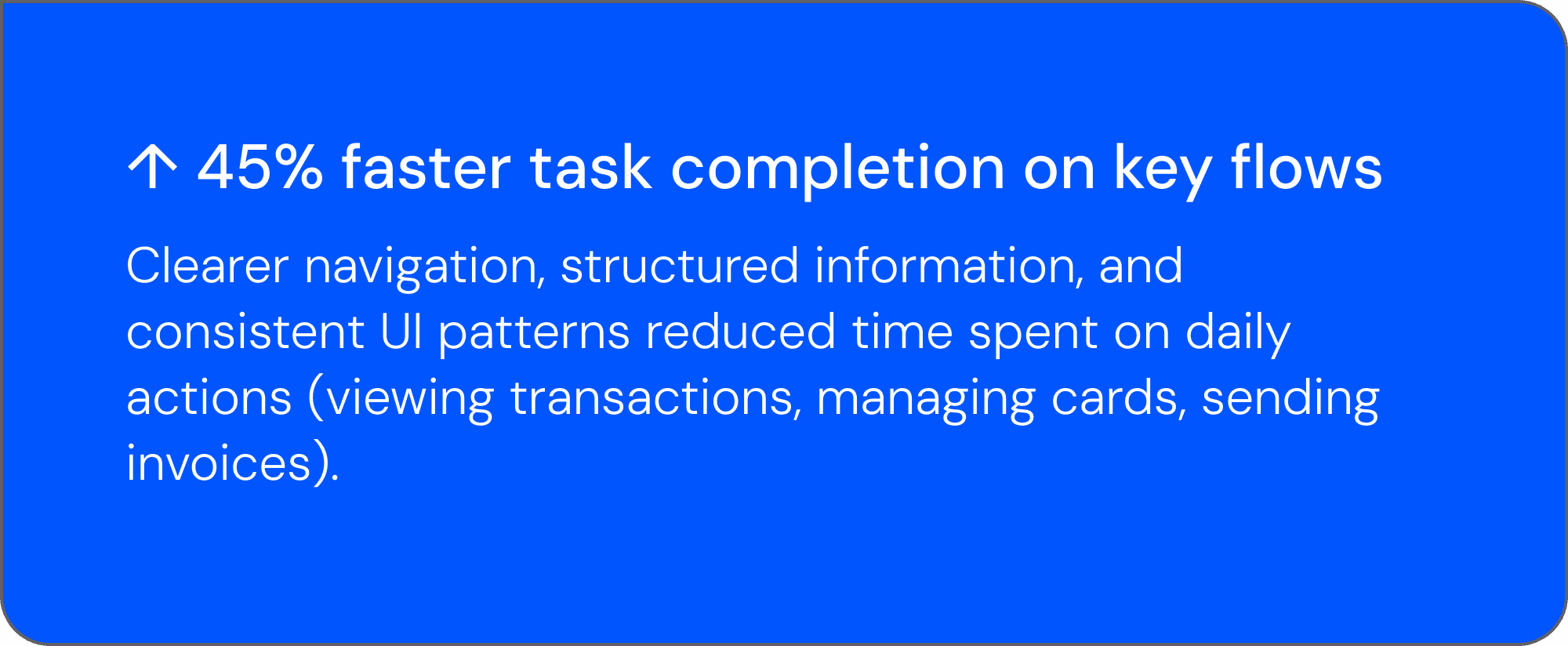
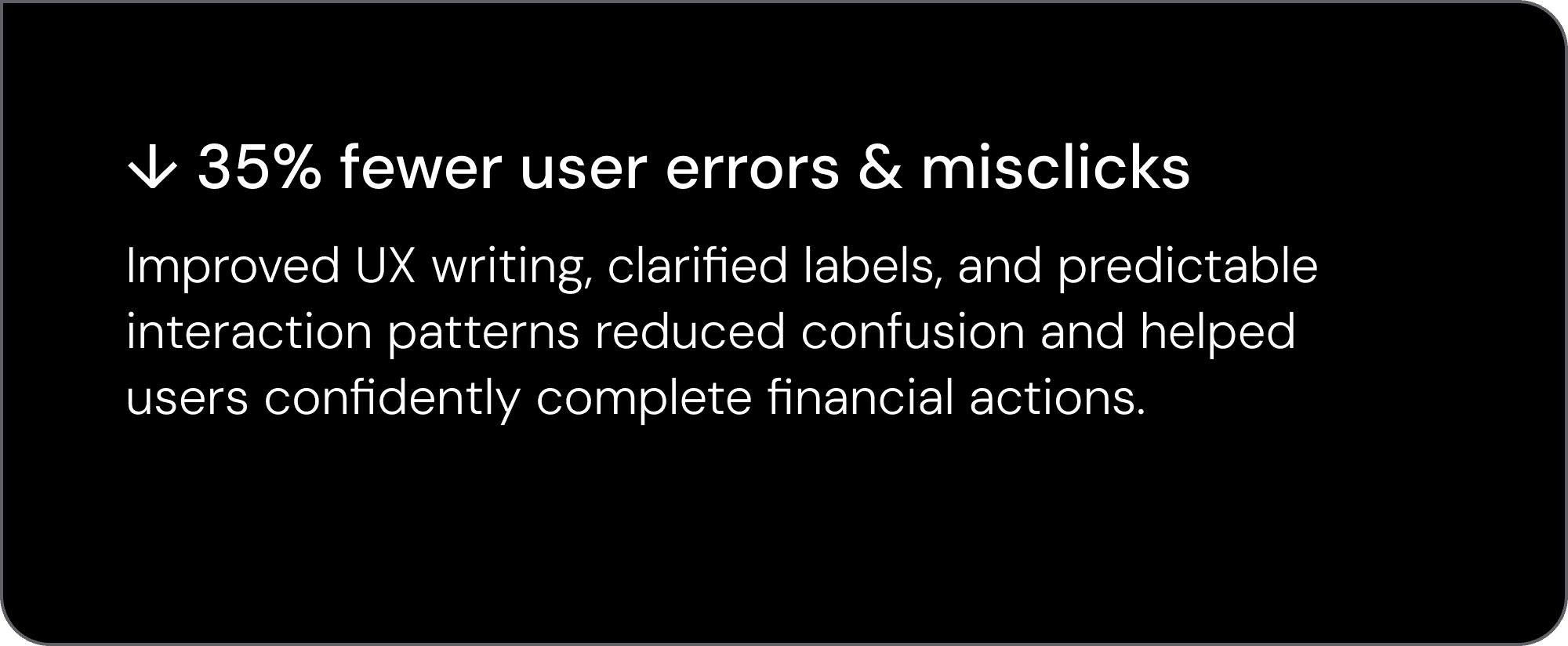
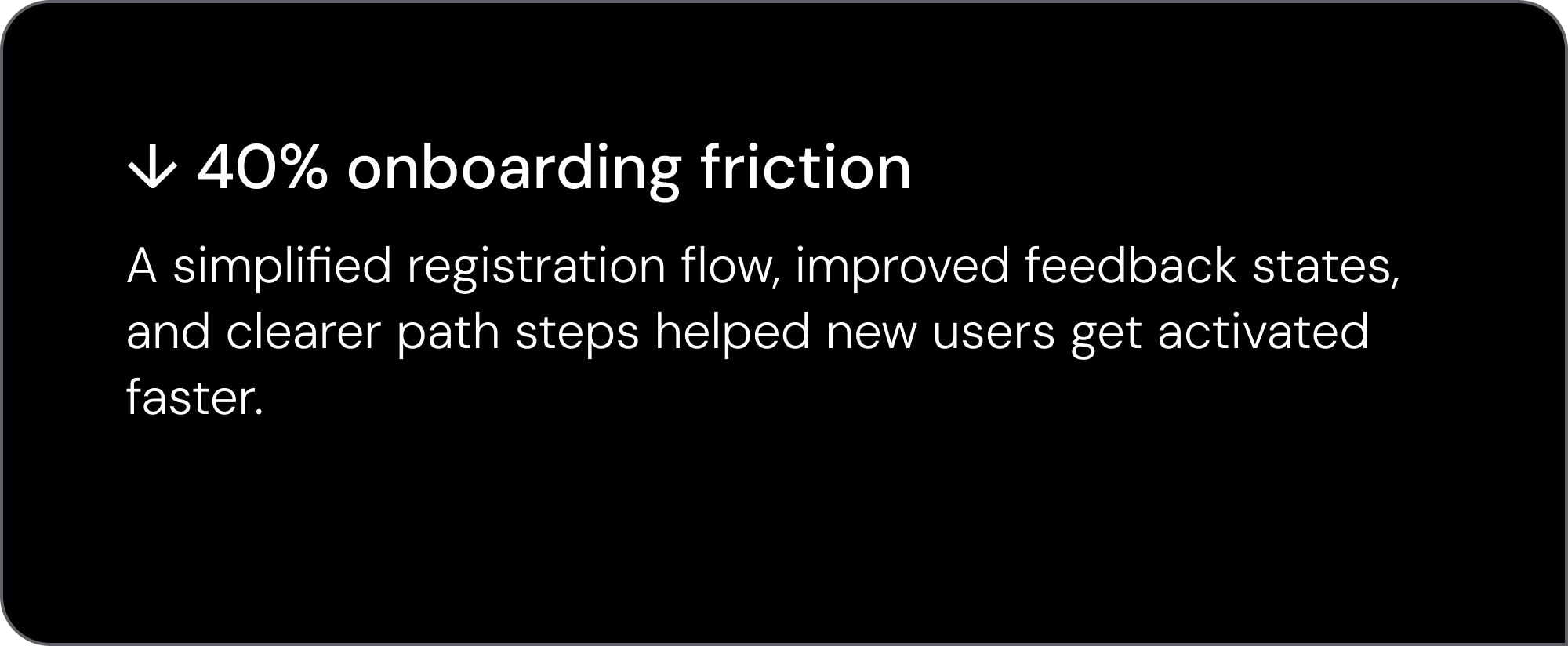
This project delivered a clearer, faster, and more scalable financial management experience for Xpence — improving daily operations for teams and enabling smoother product growth.